
Did you know?
Validation button on vendor payment journals
The journal payment icon is actually a big button that you can use to trigger eftsure verification without navigating into the menues. It's a quick shortcut to save you one click!
It is available at the vendor payment journal header and lines level!
Manage users from Excel
You can manage your end-user list directly from Excel, using our Open in Excel button.
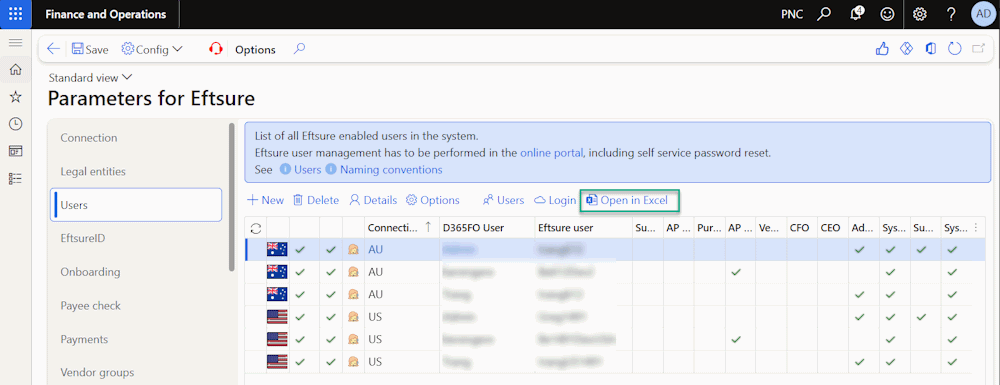
This make it much easier to import/export user list per environment, and becomes useful after Database refreshes
D365 user backoffice permissions
All API users used in D365 FO need Customer API Permissions AND PartnerId set in the backoffice.
If you experience any issues with either one, please create a Support ticket requesting Customer API Permissions AND/OR PartnerId for your environment and credentials.
Support
The Support tool is context aware,
It will take a screenshot of your current screen,
Attach any selected vendor history, logs or trace.
Use this tool to help troubleshoot your issues, it saves a lot of time.
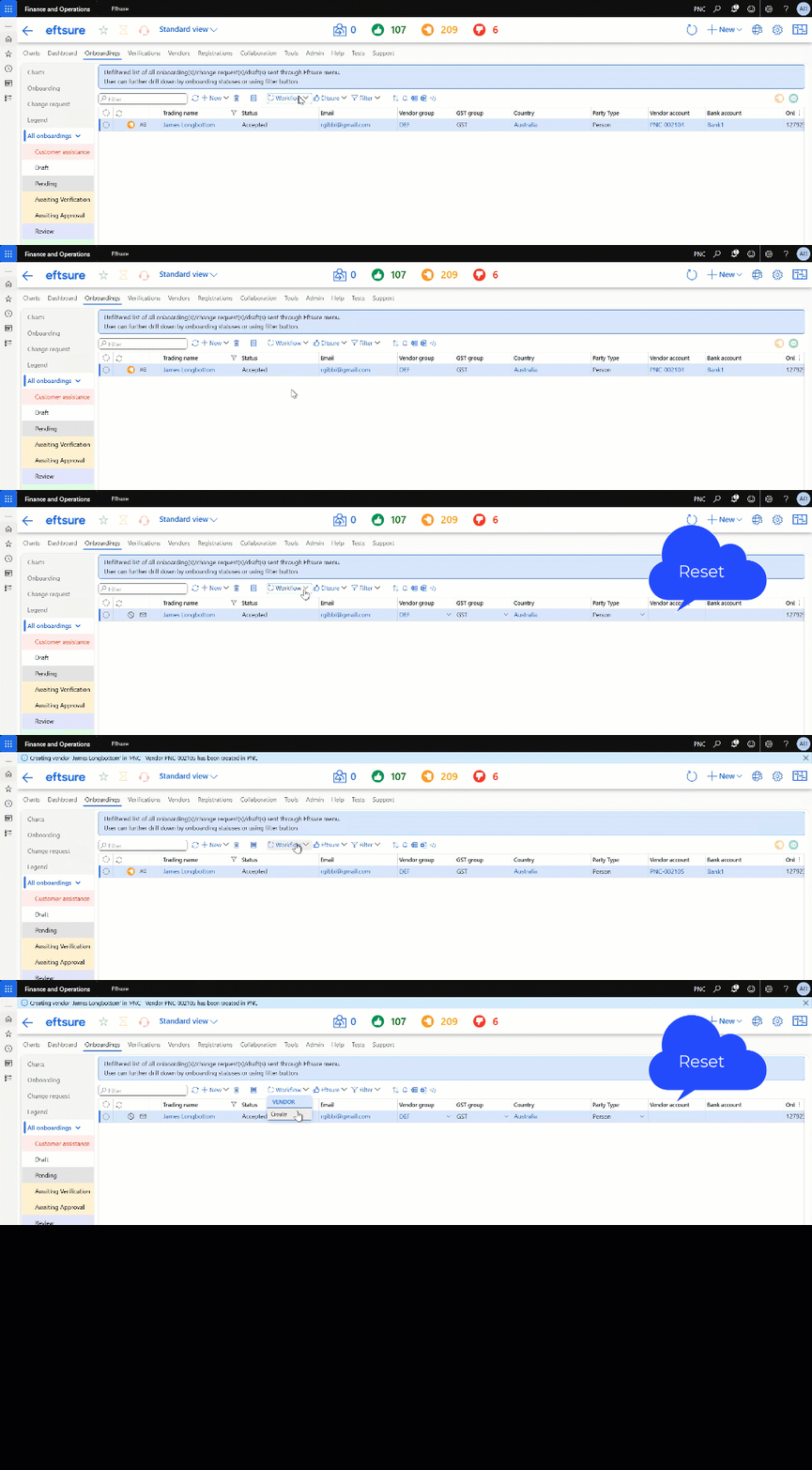
Reset button
A reset button has been designed to Help testing by resetting onboarding vendor information, in order to allow the quick creation of multiple vendors, which can become useful when testing multiple field mappings, default values, ...
This button is only available if connected to a Sandbox environment.
This button allows multi-selection.
Icon status
You can hover most eftsure icons, including status icons, to get more details about the current line status! This is specially useful for customer assistance reasons or payment line validation errors, but is available on most grids.
Communication with suppliers
We offer multiple options to communicate with your suppliers, see Supplier Communication
Vendor number sequence
You can set vendor number sequences per vendor groups! See Vendor group number sequence
Payment limit per vendor or bank account
You can set a payment limit a the vendor or bank account level, directly from our Eftsure menu. See Payment Limit