
Eftsure inside Microsoft Invoices
Intro
This section details the features of our Eftsure inside Dynamics 365 F&O extension.
The purpose of this extension is to provide the same features for invoices imported by in Microsoft Invoice Capture as in the standard extension Eftsure inside Dynamics 365. Microsoft Invoice Capture handles invoices in Dynamics 365 while Eftsure handles secure onboarding and payment. Microsoft Invoice Capture invoices are a good candidate to surface Eftsure information. This extension also allows users to interact with their vendors at invoicing time, rather than at payment time, most often leaving enough lead time for vendors to respond to Eftsure verifications.
Microsoft Invoice Capture is a separate application, the changes described in this article apply to invoices in Dynamics 365 Finance, some of them might have been transferred by Microsoft Invoice Capture
Microsoft Invoice Capture is sold separately by Microsoft
User interface
5 main components have been made available on top of invoices:
- Eftsure Menu: Available in the action panes, Triggers any Eftsure action or navigation
- Eftsure icons: Available in the top right hand corner of forms, allows user to instantly monitor vendor and back account status for selection
- Eftsure Shortcuts: Availaile in most form toolbars, next to Office button.
- Eftsure Bank account icons: Available in Grids, showing the status of the matching bank account.
- Eftsure GST icons next to GST amounts: Available in Grids, allows reconciliation of GST Amounts with vendor GST status.
These are available in:
| Form | Image |
|---|---|
| Vendor Invoice Automation Workspace | 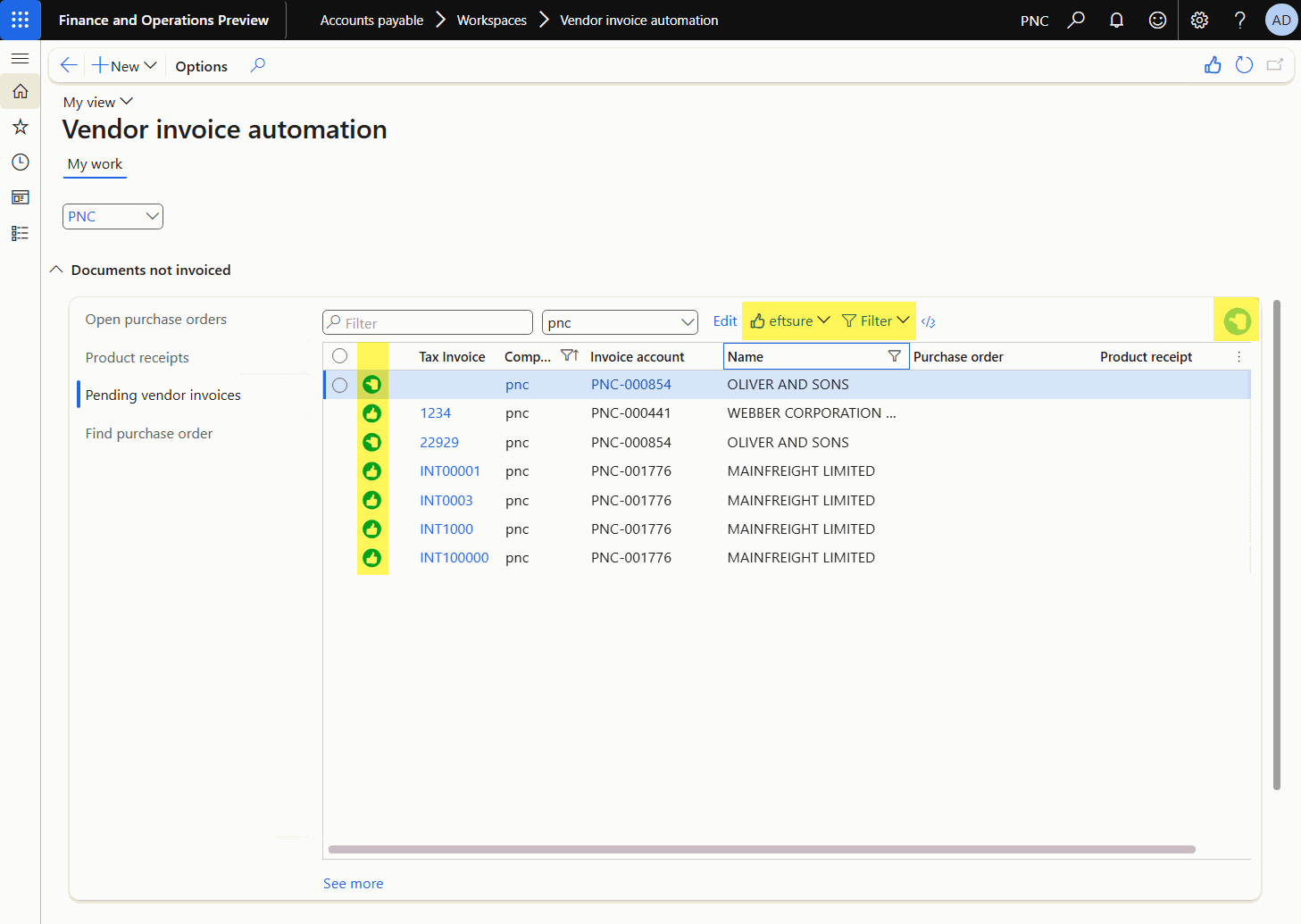 |
| Open vendor invoices | 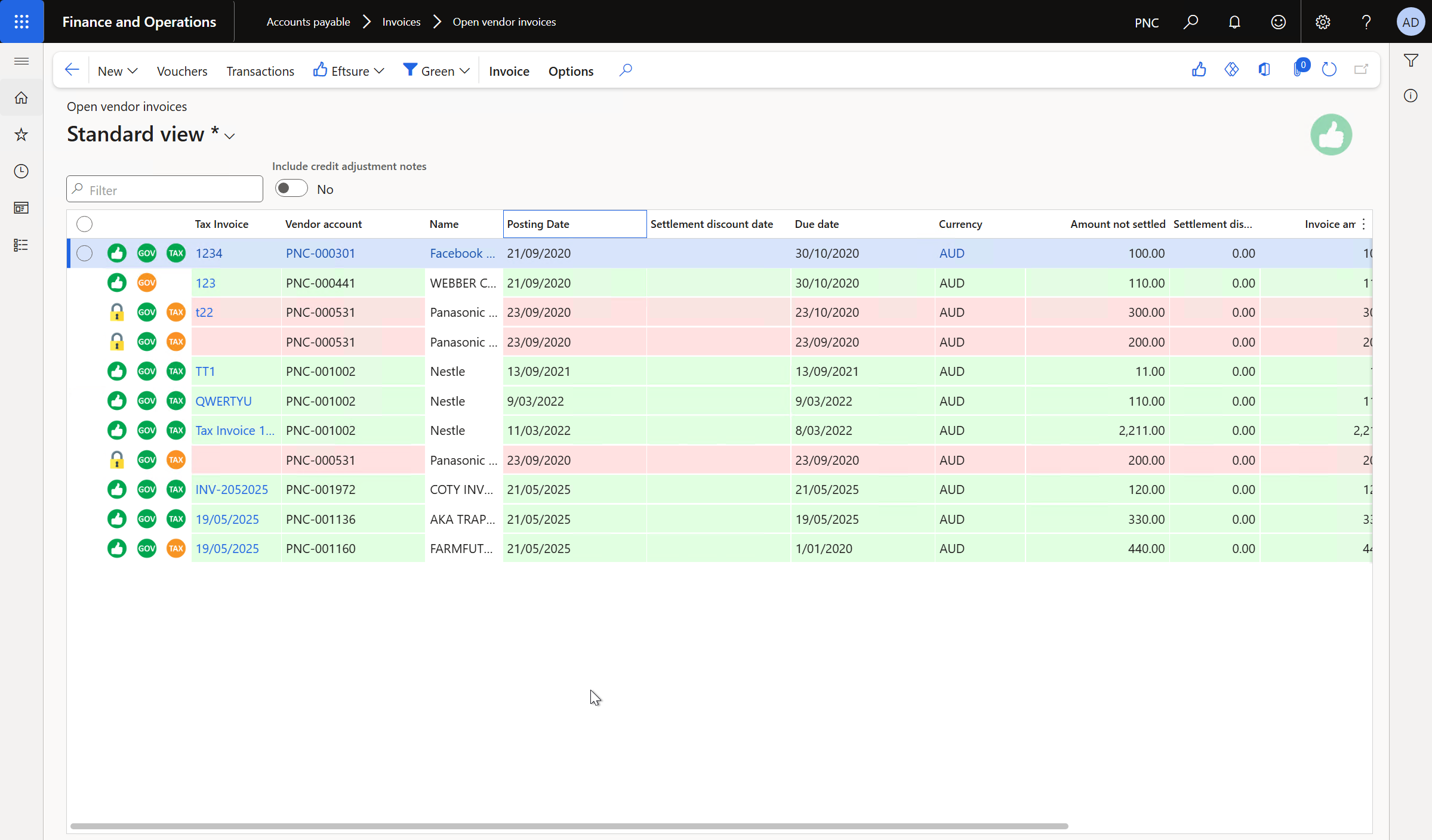 |
| Tax Invoice journal | 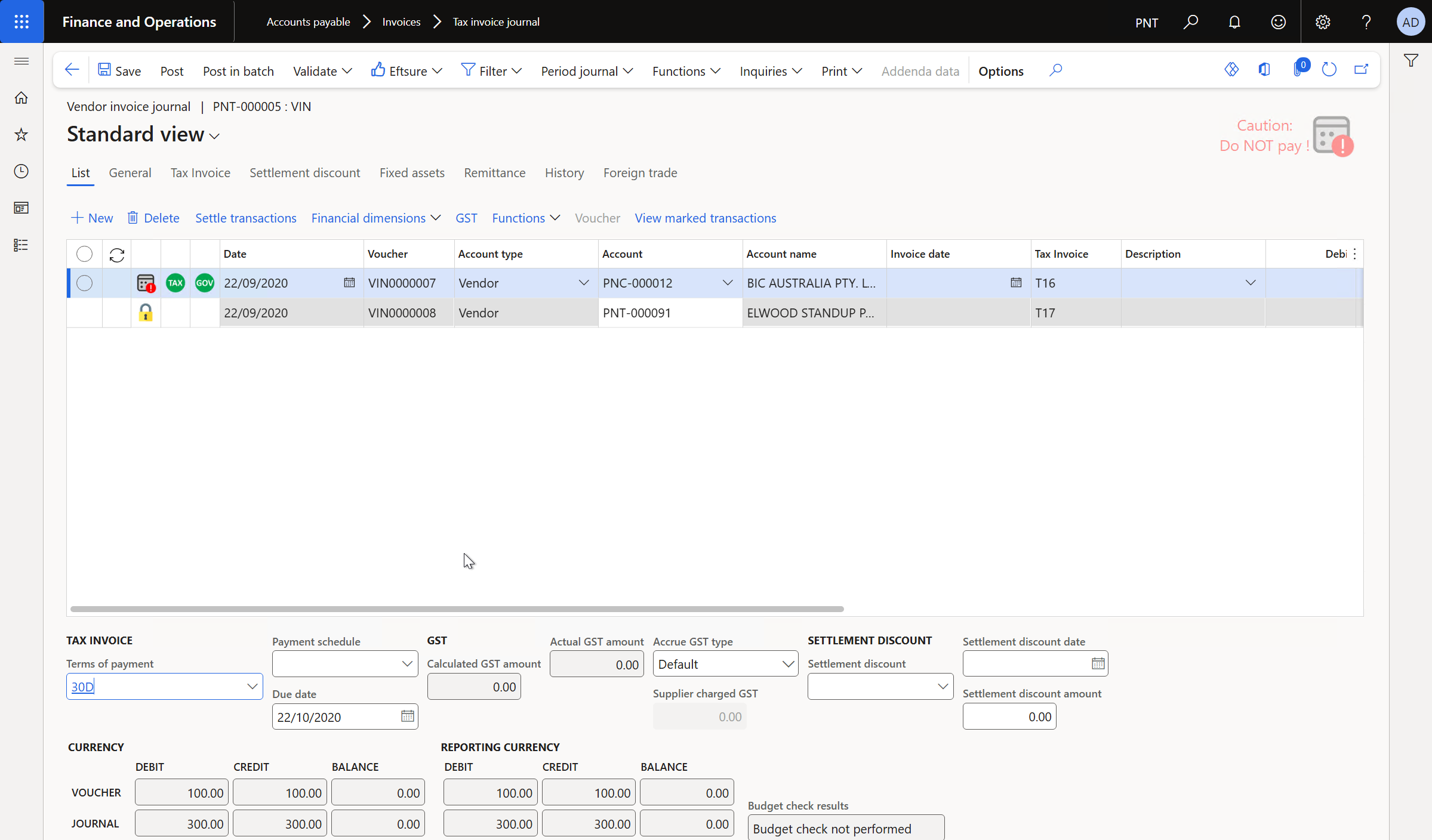 |
| Pending vendor invoices | 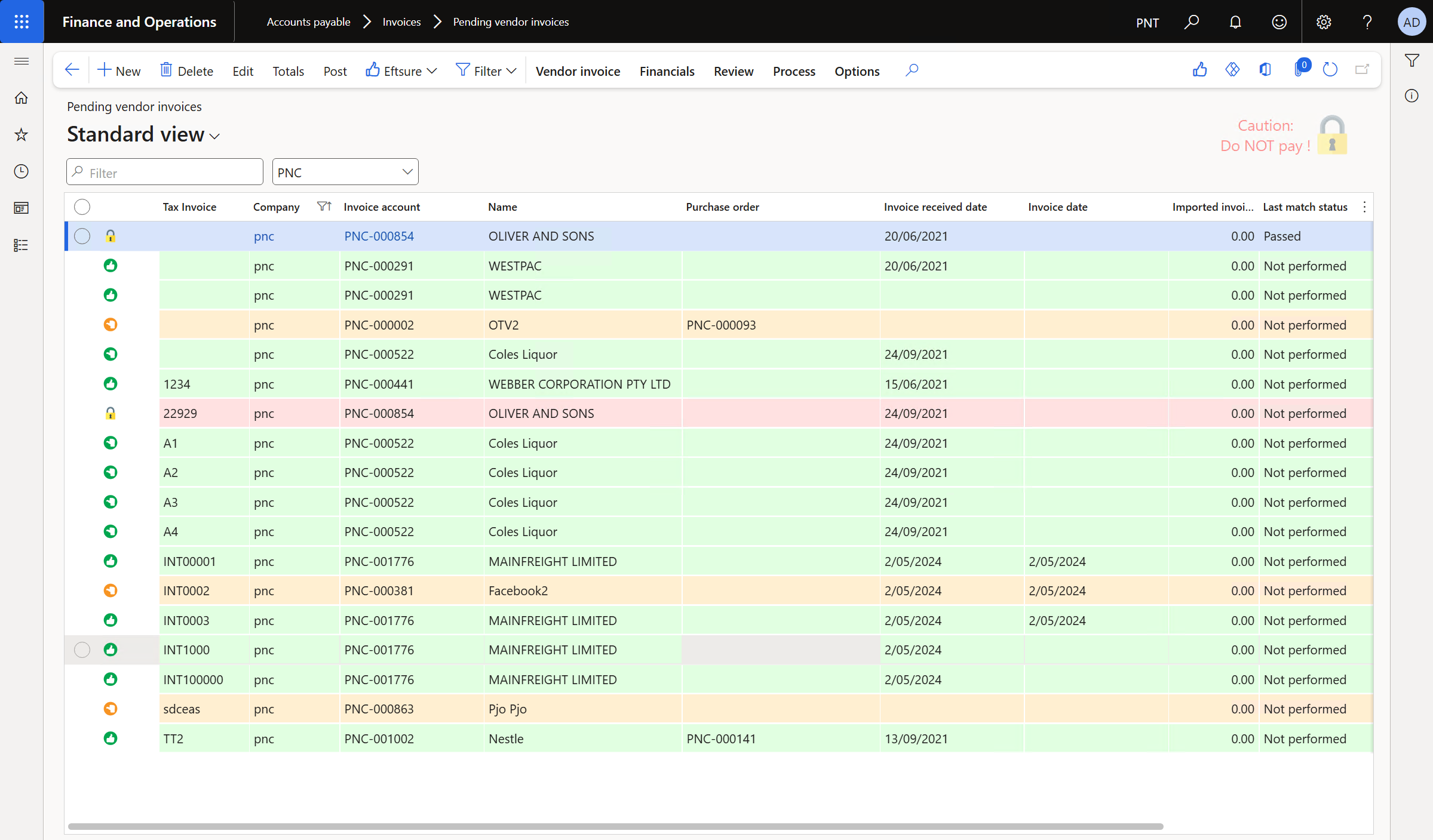 |
| Tax Invoice Pool | 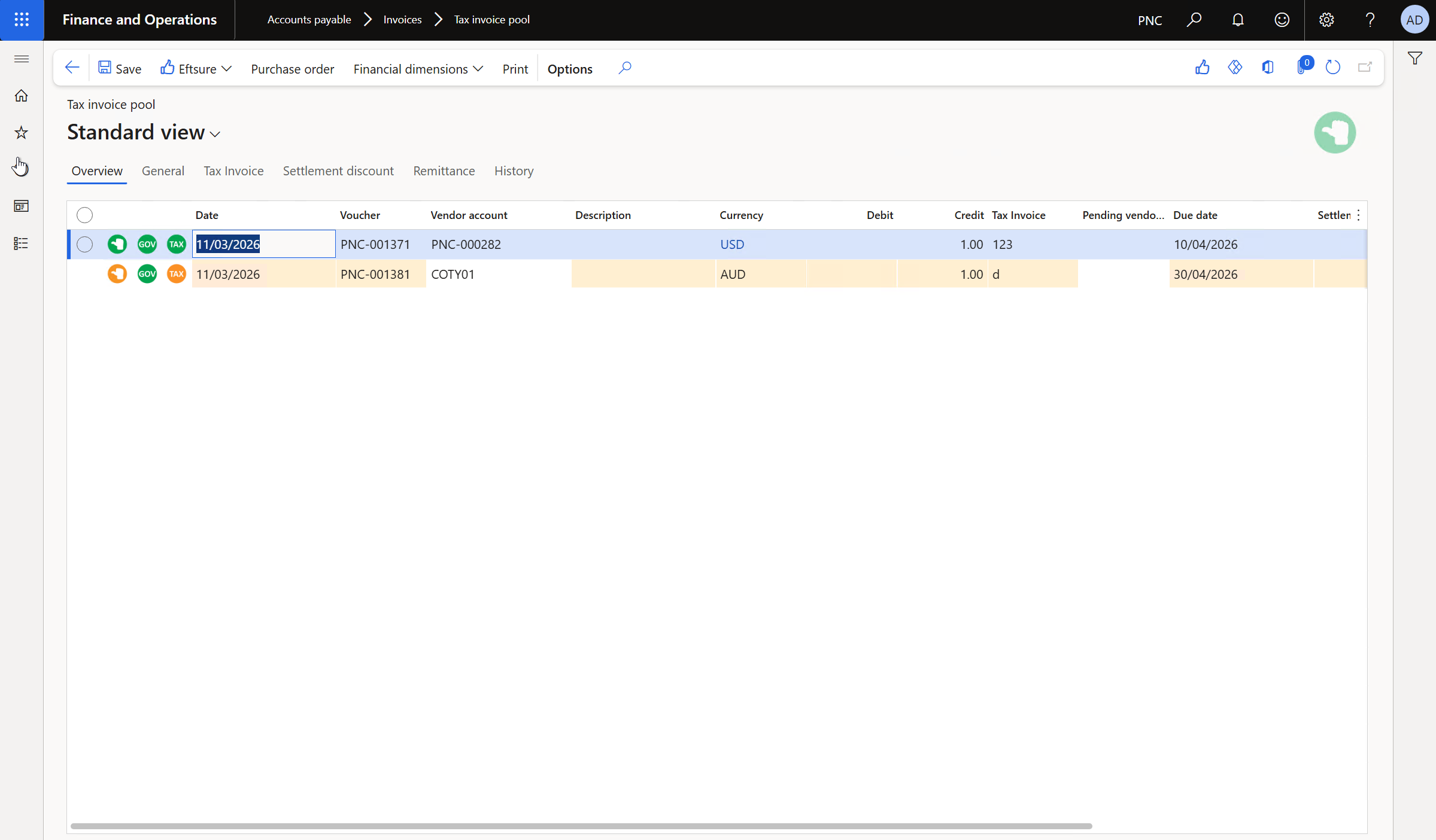 |
For more details, see Coverage
Filters
Standard filtering also applies to the workspace form parts, using the standard Eftsure filter button, which allows to filter by bank account color or vendor blocking status.
For more information, please refer to Filters
Links
- Invoice capture overview
- Invoice capture workspace
- Invoice capture FAQ
- AP invoice automation - FastTrack Architecture Insights
- TechTalk: Invoice capture features and functionality
- What's new or changed in Invoice capture
Availability
Eftsure for Microsoft Invoices is available Out of the Box since v4.32.39.1164