
Import / Export Config
Export
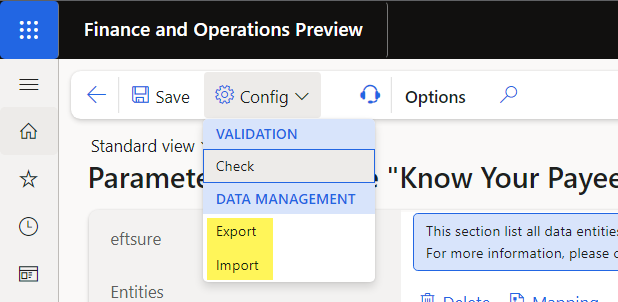
To export your Eftsure configuration, head to Eftsure parameters and select Config > Data Management > Export
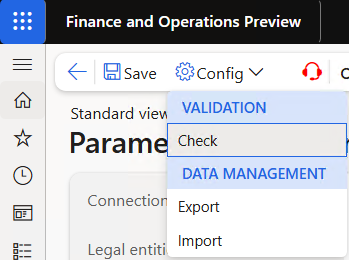
Save your configuration regularly, especially before Go Live, to ensure you can recover in case of database refresh
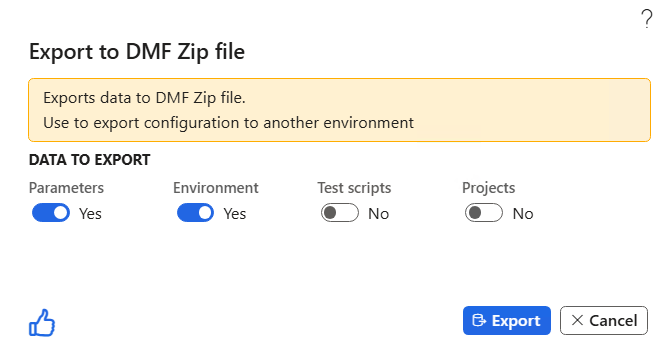
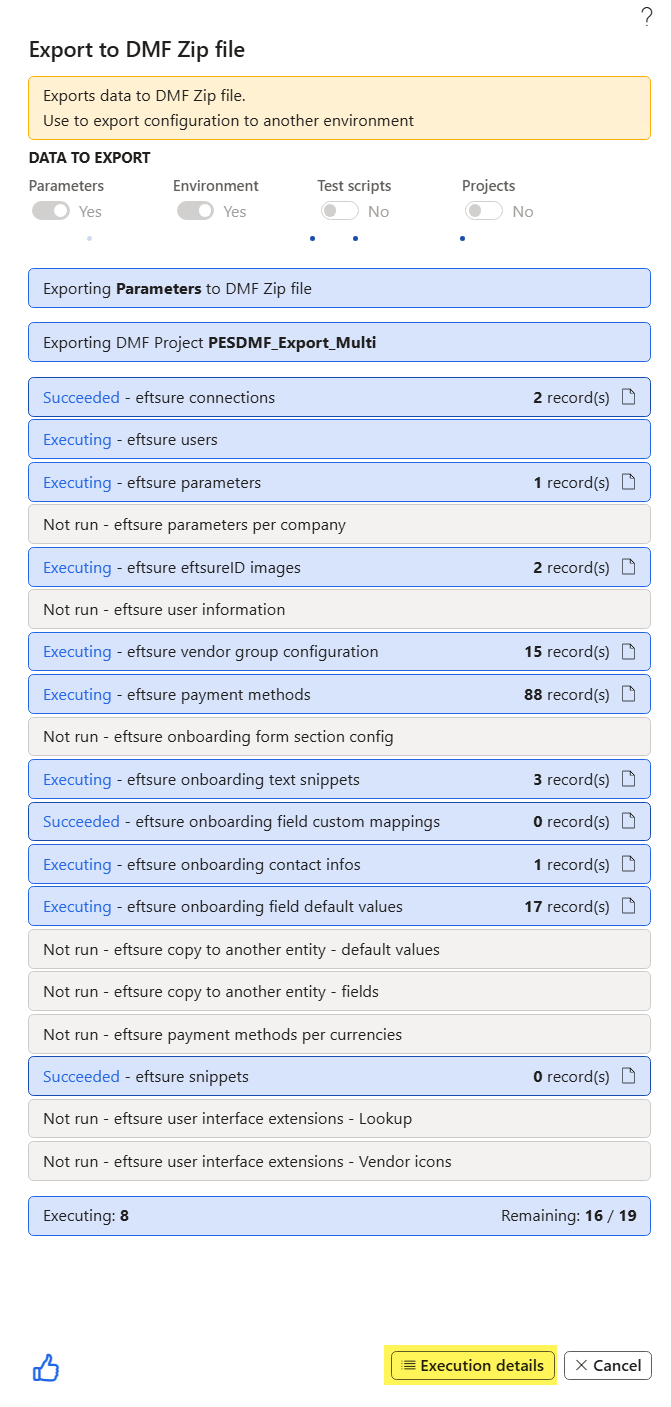
While running, DMF export will look like the following:
Use the execution details button to monitor the progress in Data management.
Once completed, DMF Export will look like the following:
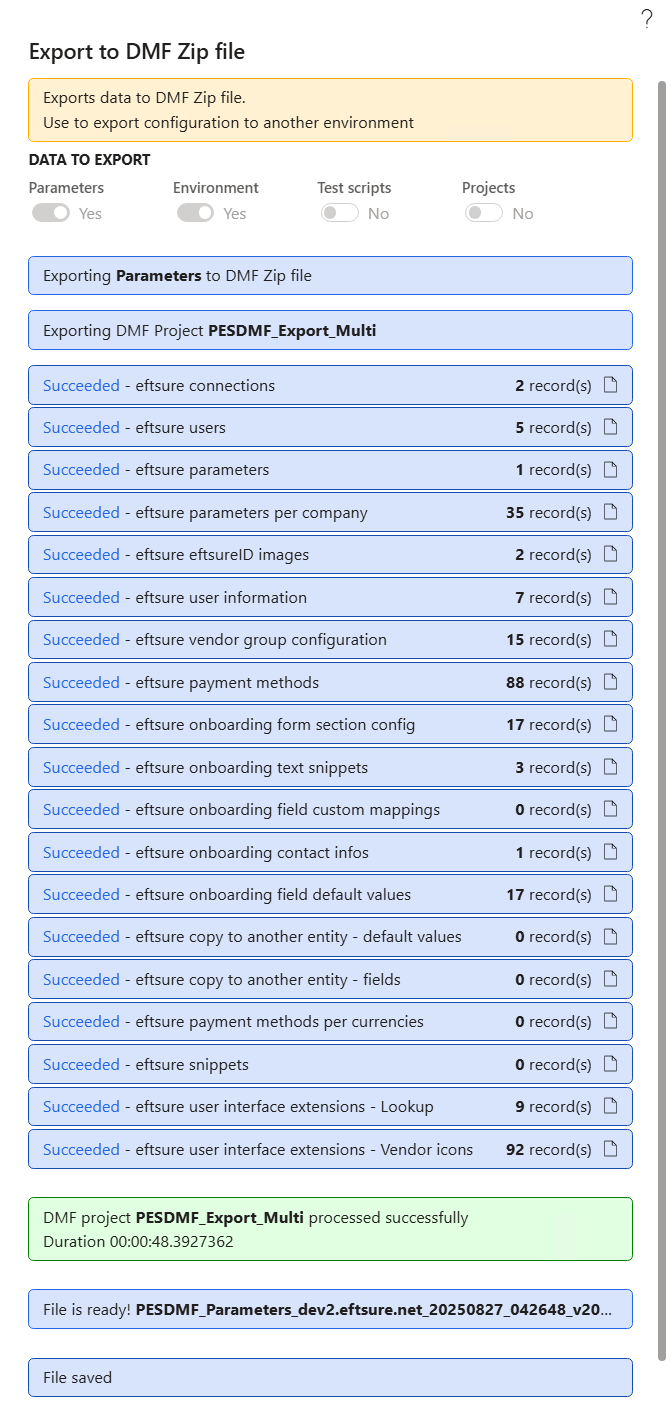
Once completed, the following file save prompt will appear and allow to save your export into our cloud, if applicable.
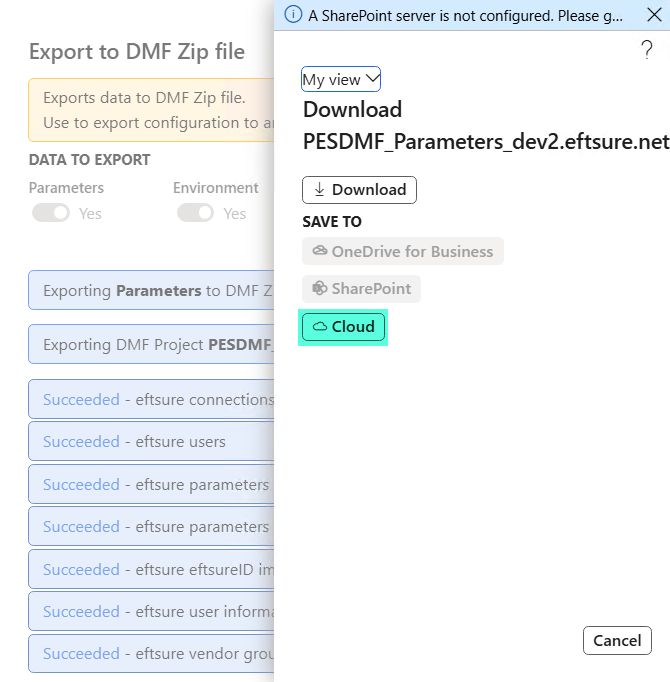
We recommend to keep your latest backup in the cloud for each environment in order to facilitate configuration restore if necessary.
Import
To import your Eftsure configuration, head to Eftsure parameters and select Config > Data Management > Import
You can recover archives saved in your Eftsure cloud using our Cloud option
Data entities are used for configuration import / export, in order to facilitate saving / restoring configuration over multiple/refreshed environments.
In the Parameters form, use the configuration button to save restore configuration:
Before import
Before Import configuration, please ensure below steps are followed:
- Select environment
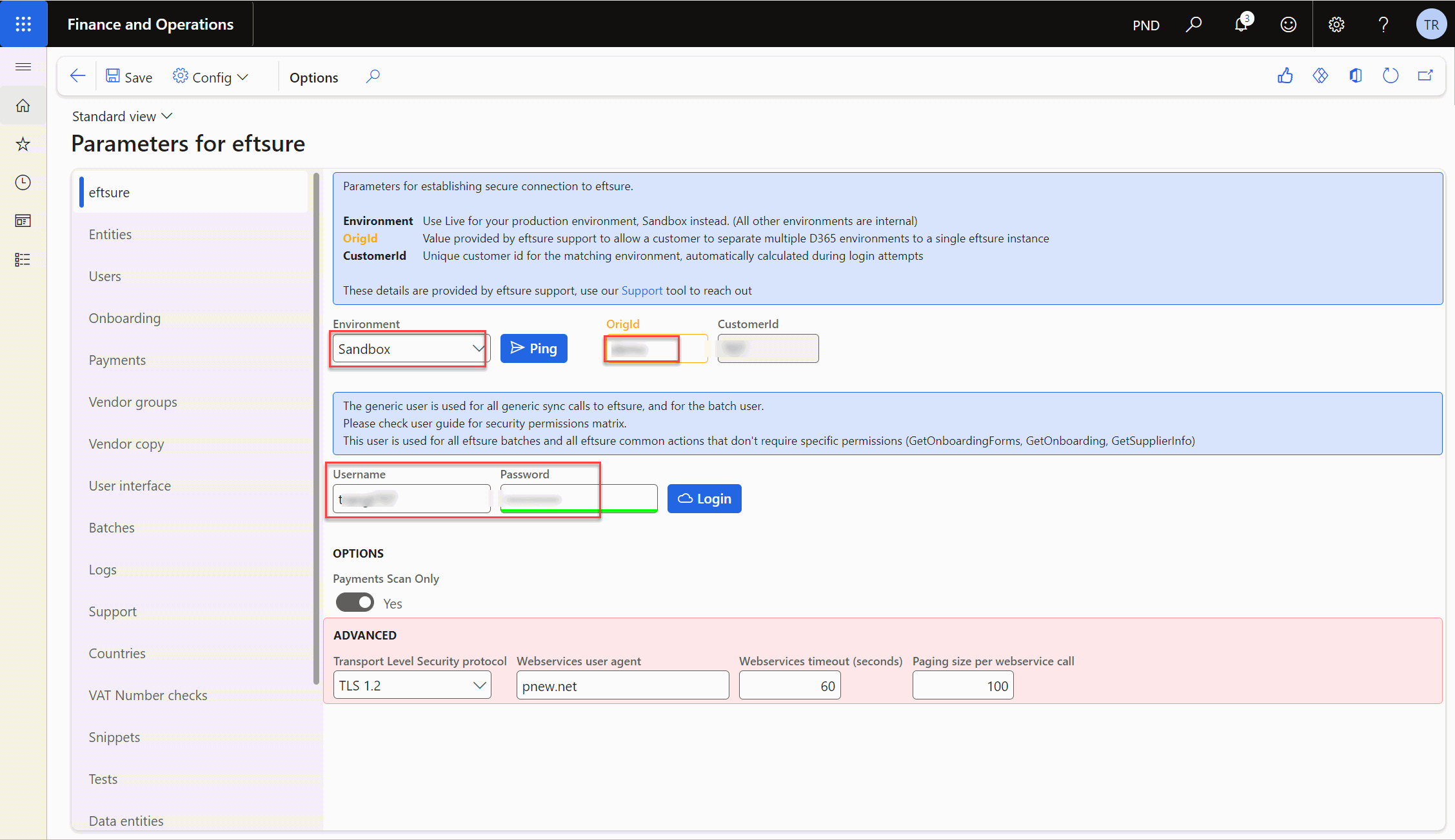
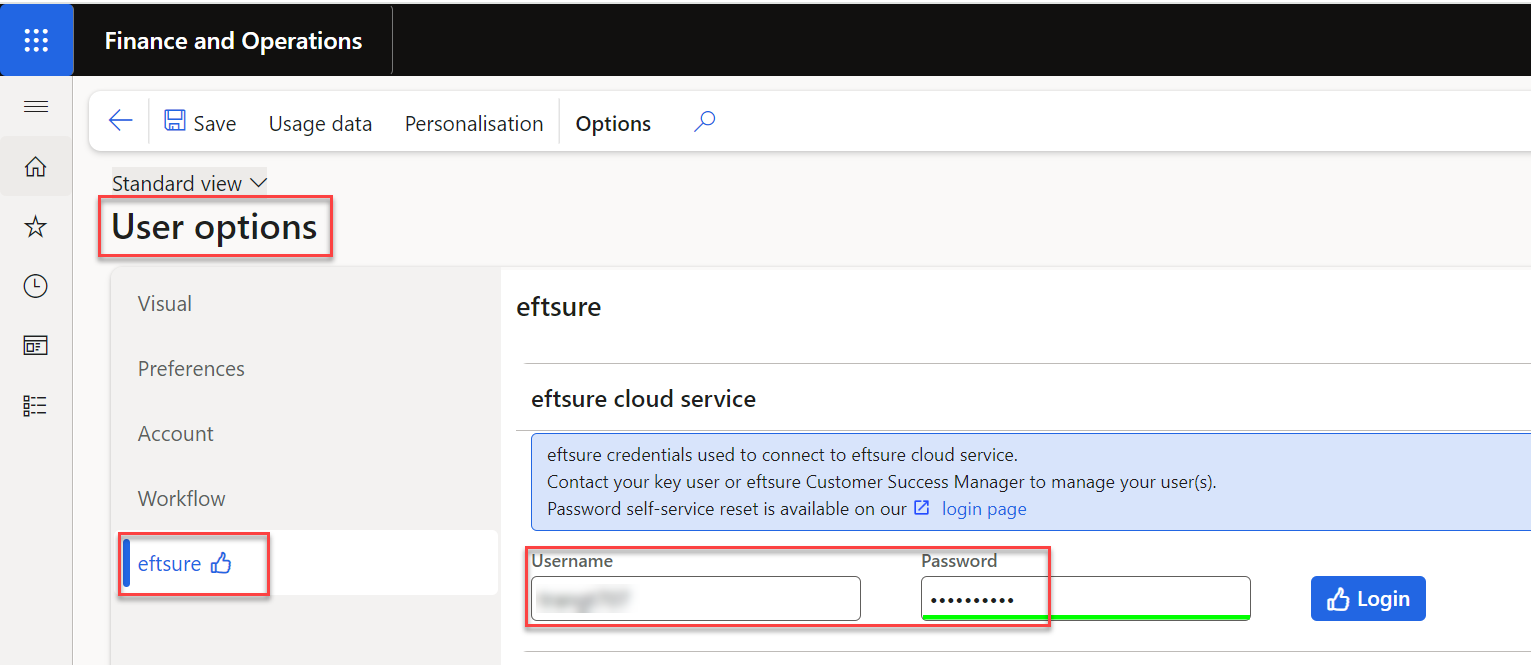
- Update Eftsure portal username and PW within D365 User Options > Eftsure
- Remove any custom field mapping
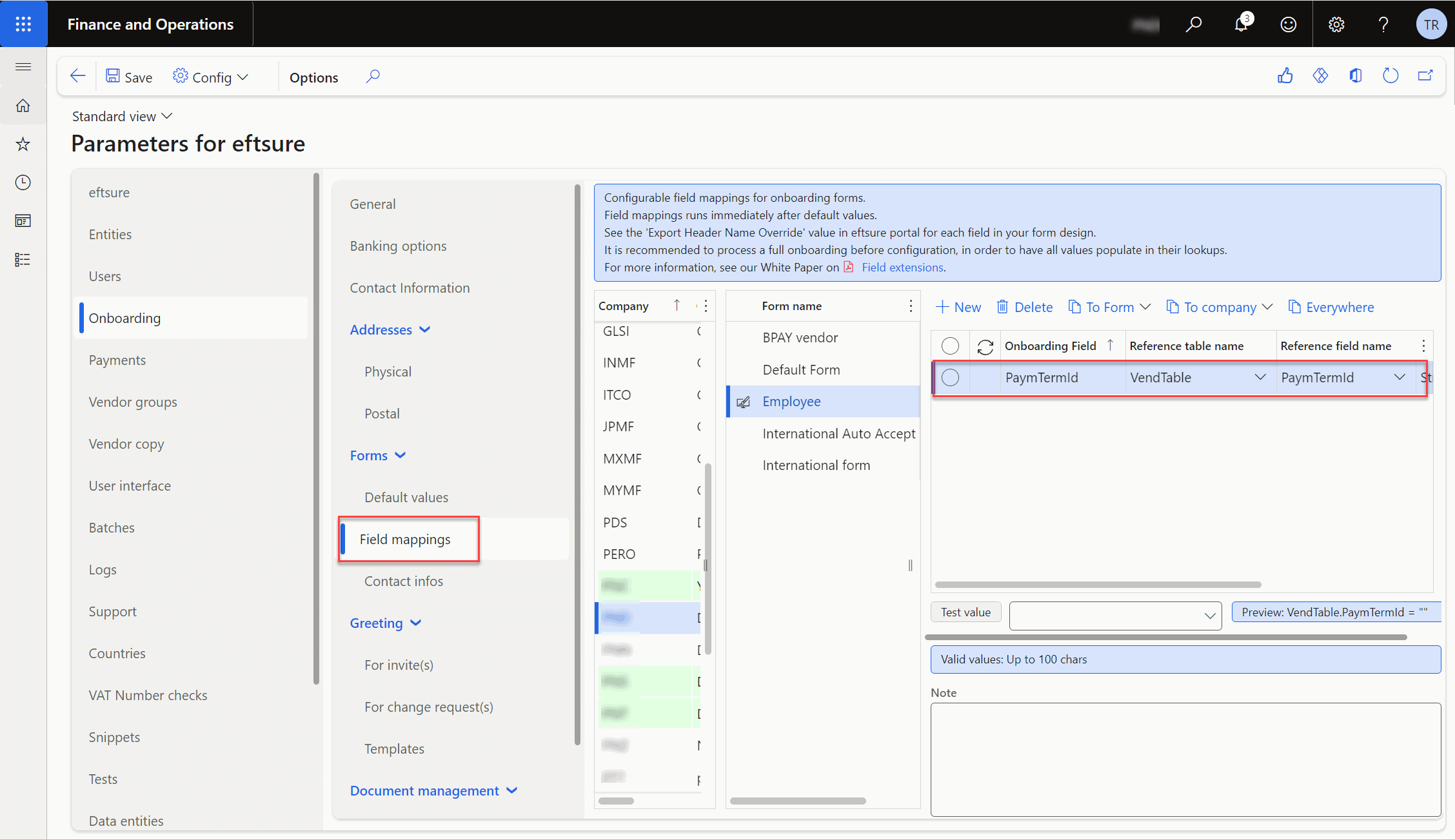
- Sync onboarding form
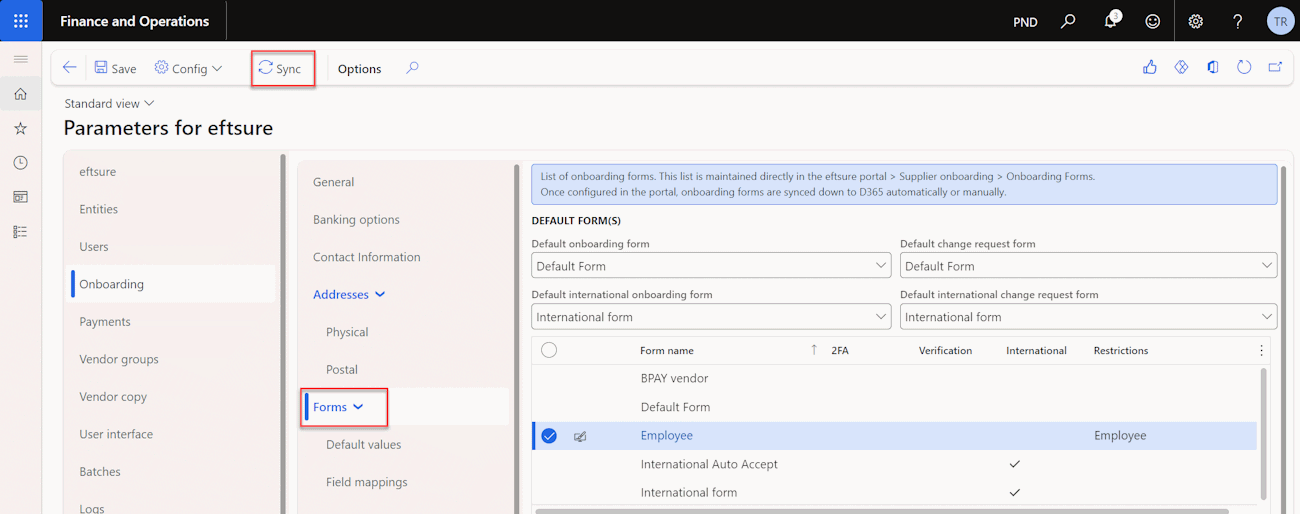
Once all above steps are completed, user can Import the configuration to selected environment.
Import
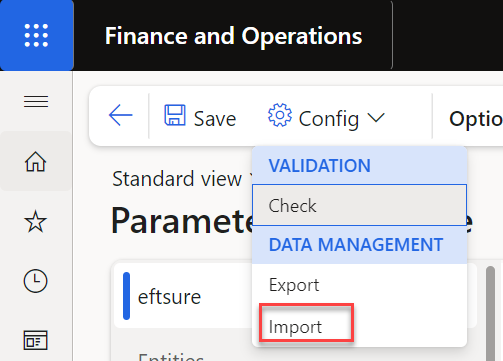
Select exported package location.

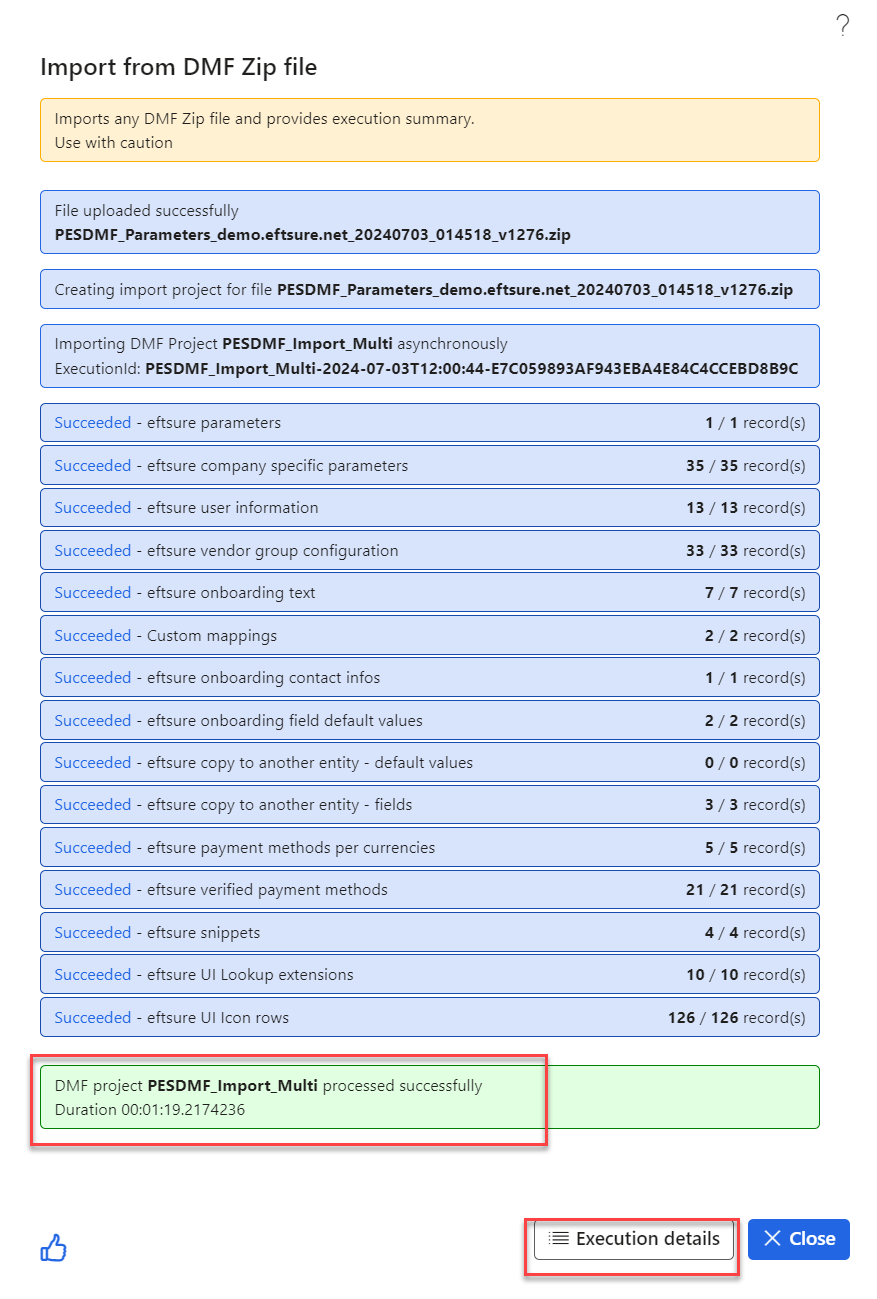
With execution details, user will be able to identify if there is any config file missing or discrepancies in the setup.
Example of a common errors such as: different vendor groups and method of payments in different environments or different user access.
For security reasons, environment secrets (API Keys, tokens, etc) will not be exported into clear text. Such secrets will not be overwritten during import and may need to be re-configured when there is a DB referesh or upgrade.