
User interface
The User interface tab allows the administrator to configure the forms behaviour and general colour scheme used throughout this module, in order to facilitate the understanding of the data at a glance, when dealing with hundreds of vendors, payments, bank accounts etc
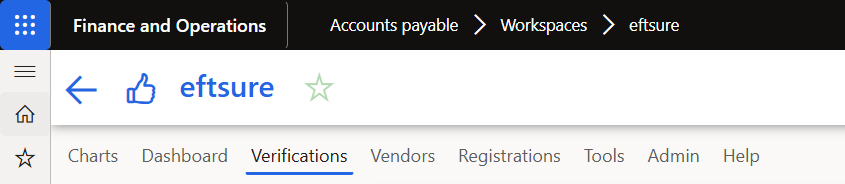
User also have an option to hide Eftsure workspace tab and function correspondence with business requirements.
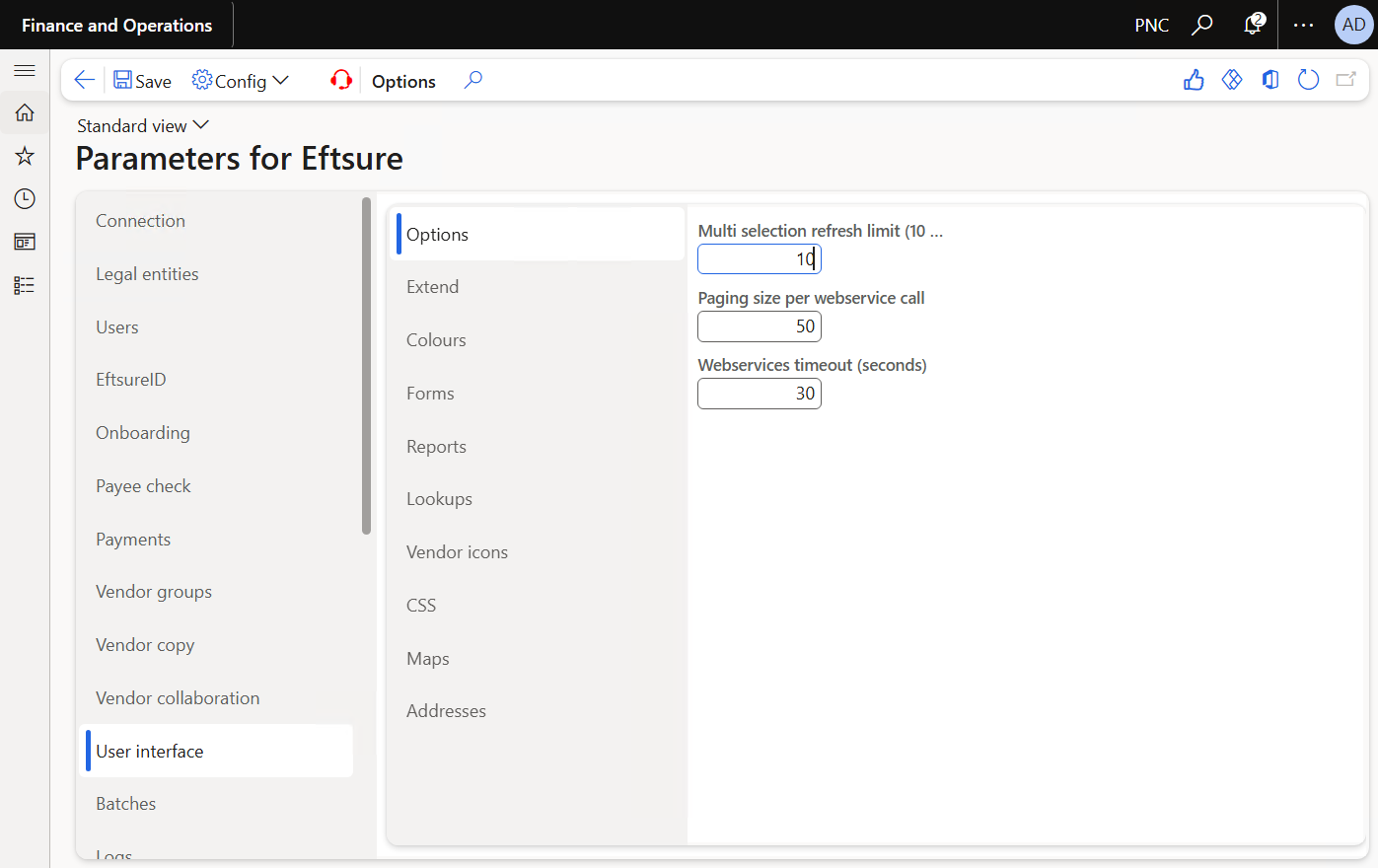
Options
This section allows the configuration of default options such as timeouts and limits:
Extend
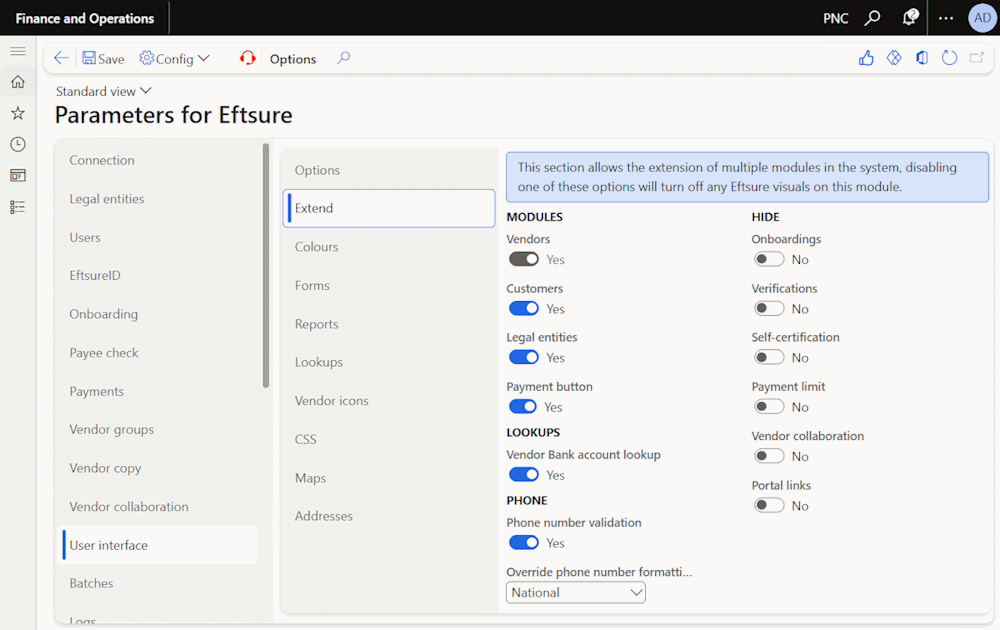
Modules
With Eftsure enabled, Vendors module is default as Yes.
User has option to enable Eftsure in customer, sales orders and legal entities modules.
For customer and legal entities modules, only ABN and GST are validated.
Hide
This section allows the simplification of user interface and menus if some features aren't needed or in use for the site.
For example, some sites will use onboarding but not verification, or vice versa. Some site will disable self-certification at the environment level.
This feature works in conjonction with D365 User security, the necessary permissions are still required to be shown the matching menu items.
This feature also has an impact on the number of batches generated
If customer does not use onboarding process, onboarding feature can be hidden using below option.
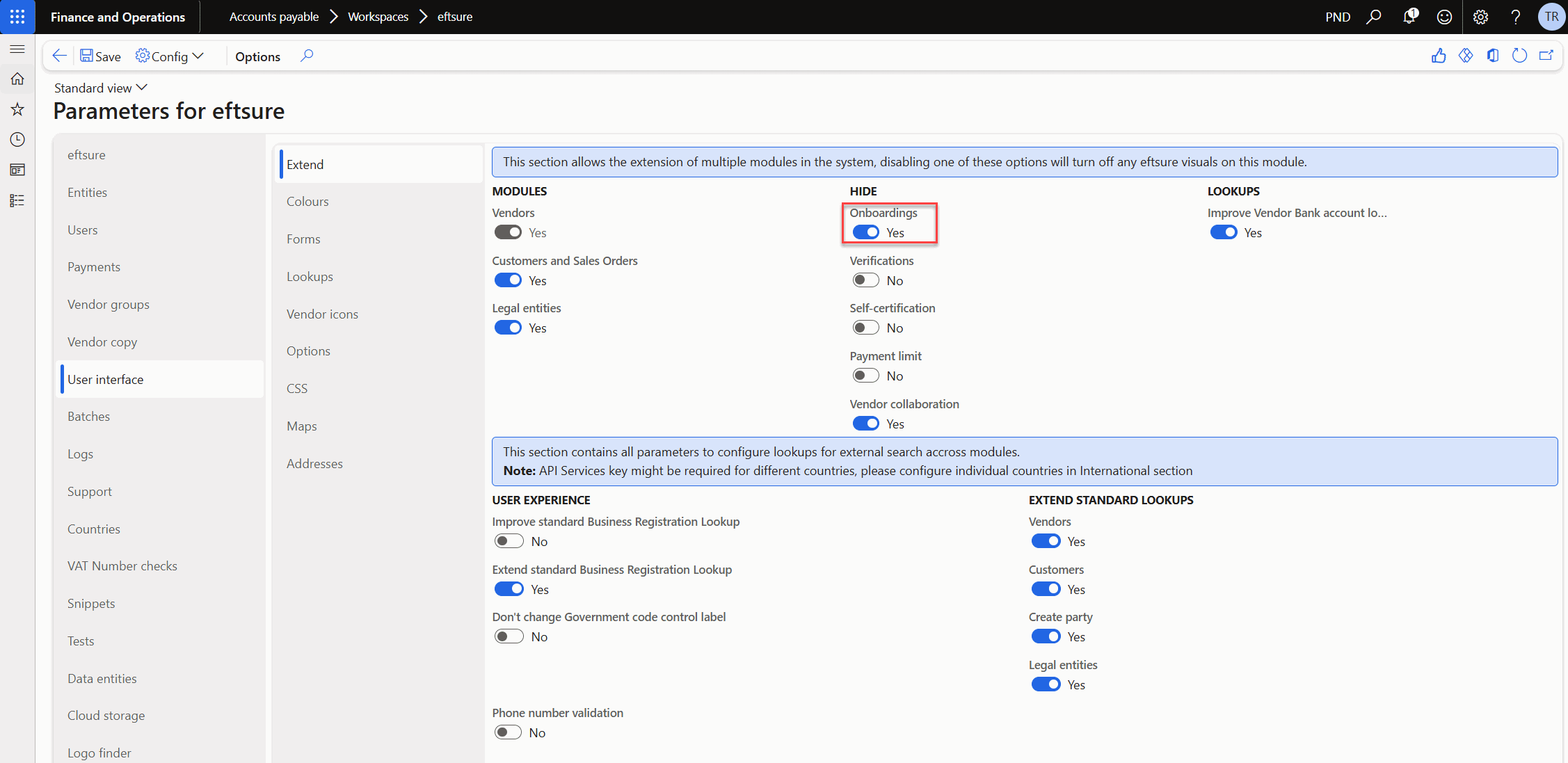
Onboarding tab will be hidden from Eftsure workspace as well as Eftsure menu.
Lookup
This section allows the configuration of our extended vendor bank account lookup.
See Lookups
Colours
User can personalise colour for form and status.
The Reset colours button allows to reset all colours back to default setup.
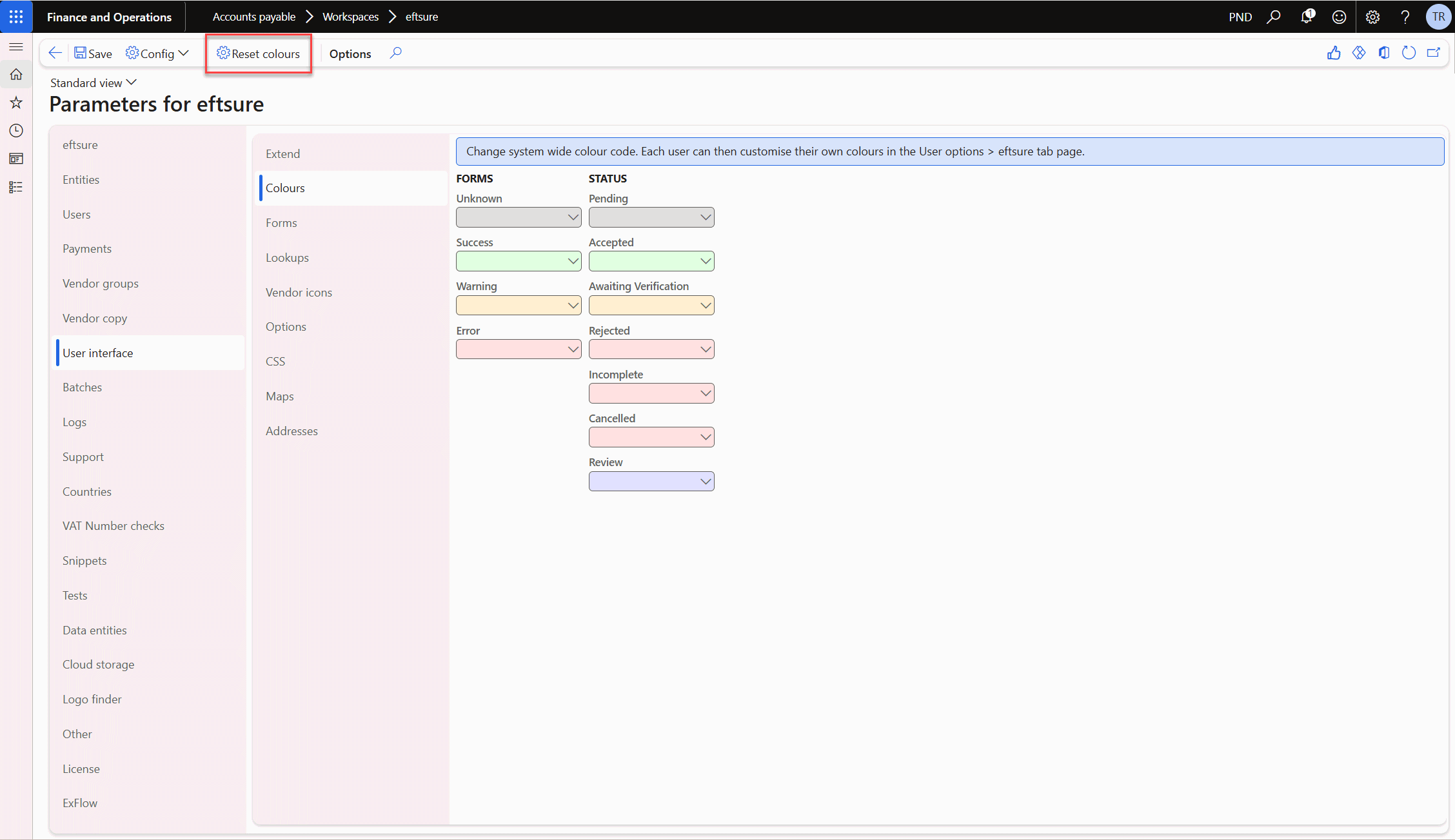
The Forms group allows to configure the success/error colours used in the Vendor, Vendor Bank accounts and Payment journal lines forms, if activated.
The Status group allows the administrator to change the colour of rows in grids showing Onboardings.
Forms
Allow user to change Form appearance from icons to colours.
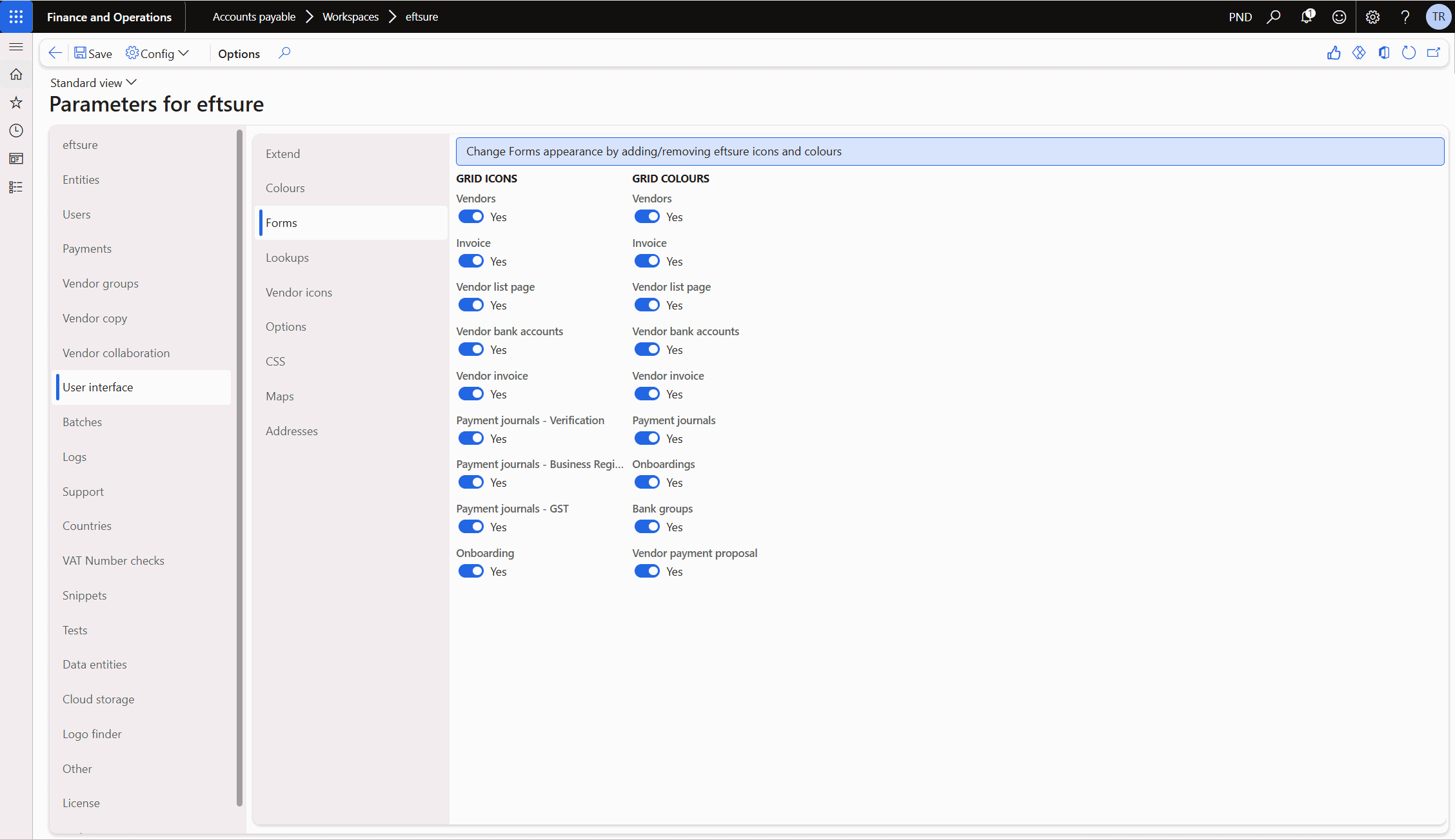
The Grid Icons group allows to configure whether the Eftsure icon set are displayed as the first columns of the main grid in the Vendor, Vendor Bank accounts and Payment journal lines forms.
The Grid colours group allows to configure whether the colours chosen in the Forms group are used to highlight grid rows depending on their verification statuses in the Vendor, Vendor Bank accounts and Payment journal lines forms.
Lookups
This tab allows system admin to turn on Eftsure lookups (Eftsure icons) in different forms.
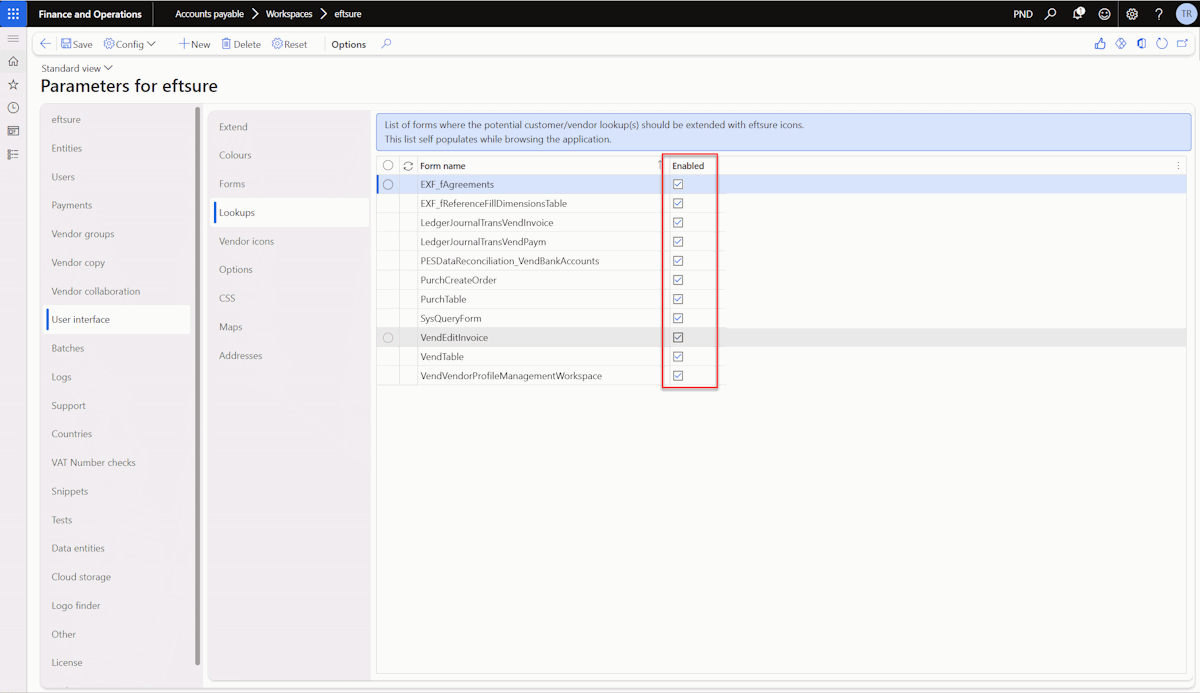
Also See Lookups
Maps
Select preferred Azure Maps, Google Maps or Mapbox.
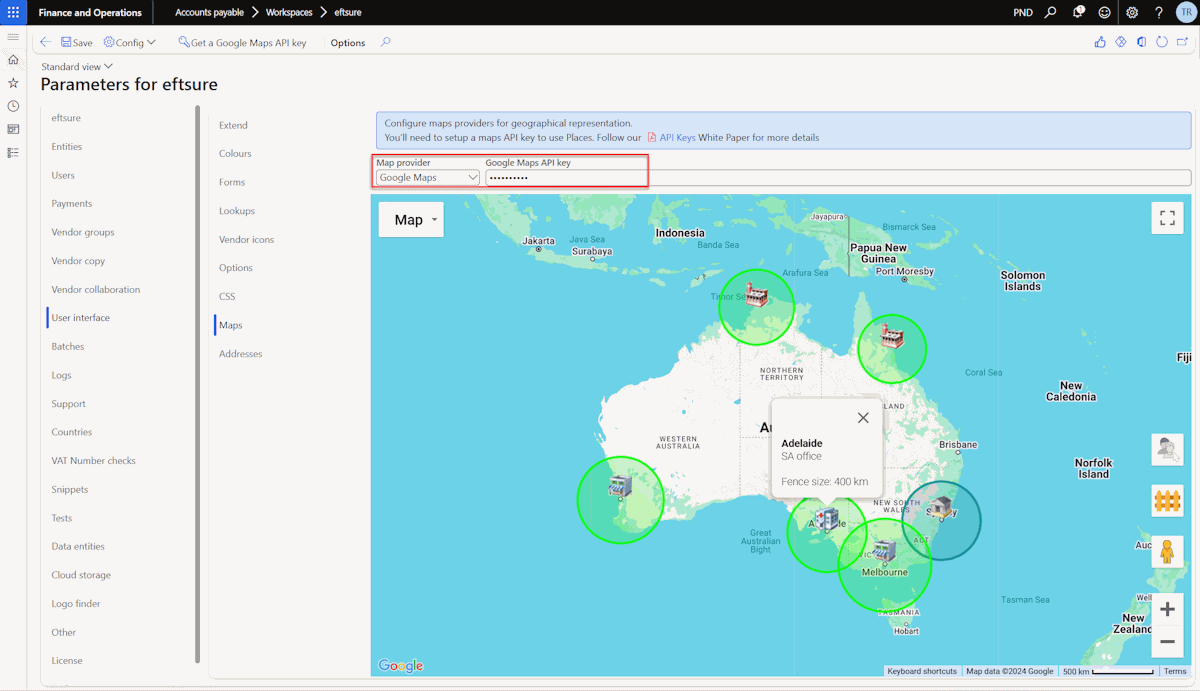
User has option to disable, select Bing or Google maps. To use this feature, API key will need to be registered.
The Maps preferred provider will be used for:
- Displaying Maps
- Geocoding
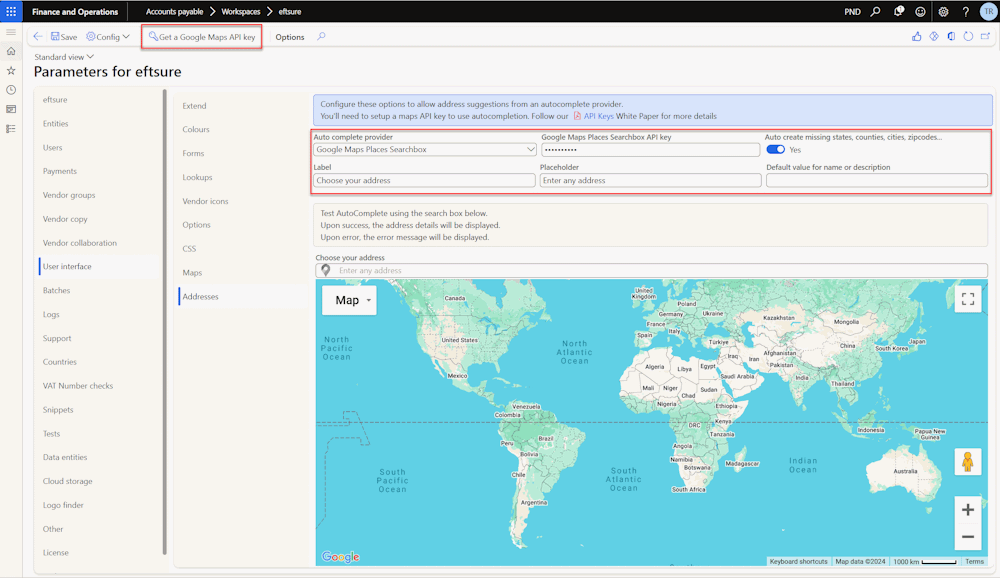
Addresses
Address autocomplete uses maps services to help users complete addresses with improved accuracy. These controls are used in many address create/edit forms, including vendors, bank accounts, ... For more details, please refer to Address autocomplete.