
New button
Our extension uses a New button that appears on multiple screens and can be extended to facilitate/improve user experience.
The New button is available on the vendor form, on the Eftsure Workspace or in the Shortcut menu.
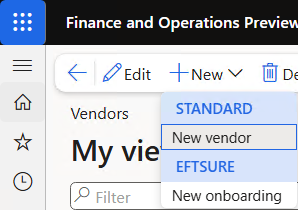
By default, this New button will drop down a menu with 2 main options:
Standard > New Vendor: Manual vendor creation.
Eftsure > Onboarding: Creates an electronic onboarding request for a potential supplier.
Vendor group extension
This menu can be extended to propose the creation of onboardings for specific vendor groups, where onboarding options may be enforced.
The following example shows a new 3rd option in the menu:
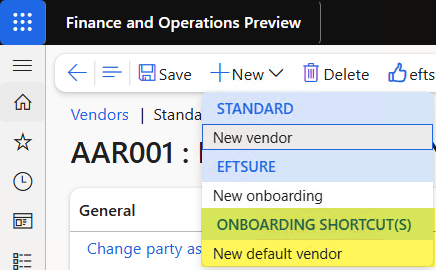
To display any number of onboarding shortcut(s), go to Eftsure parameters > Vendor groups> Display:
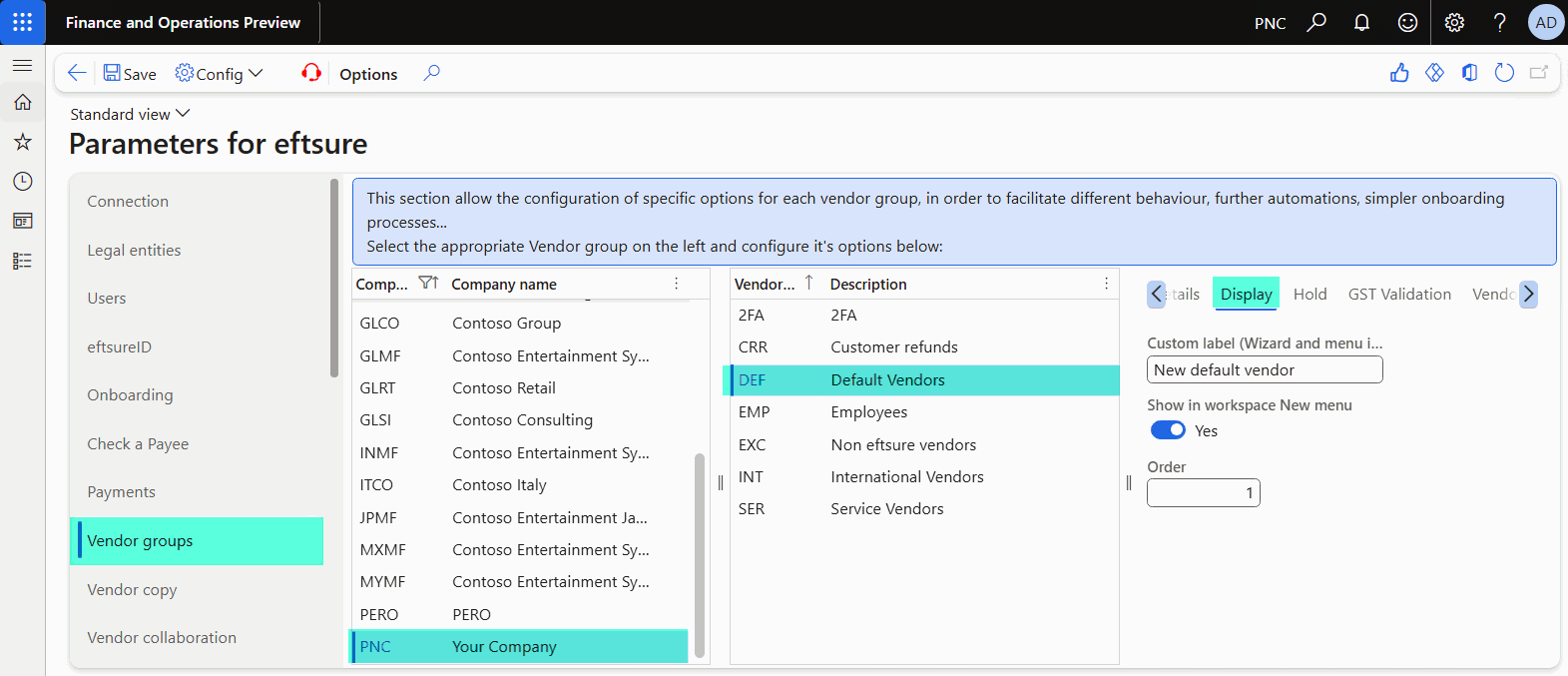
You can configure any number of vendor groups to be displayed in the menu, sort them by position, and provide a label for the action.