
Go Live
This tab allows the independent configuration and Go-Live for single or multiple legal entities.
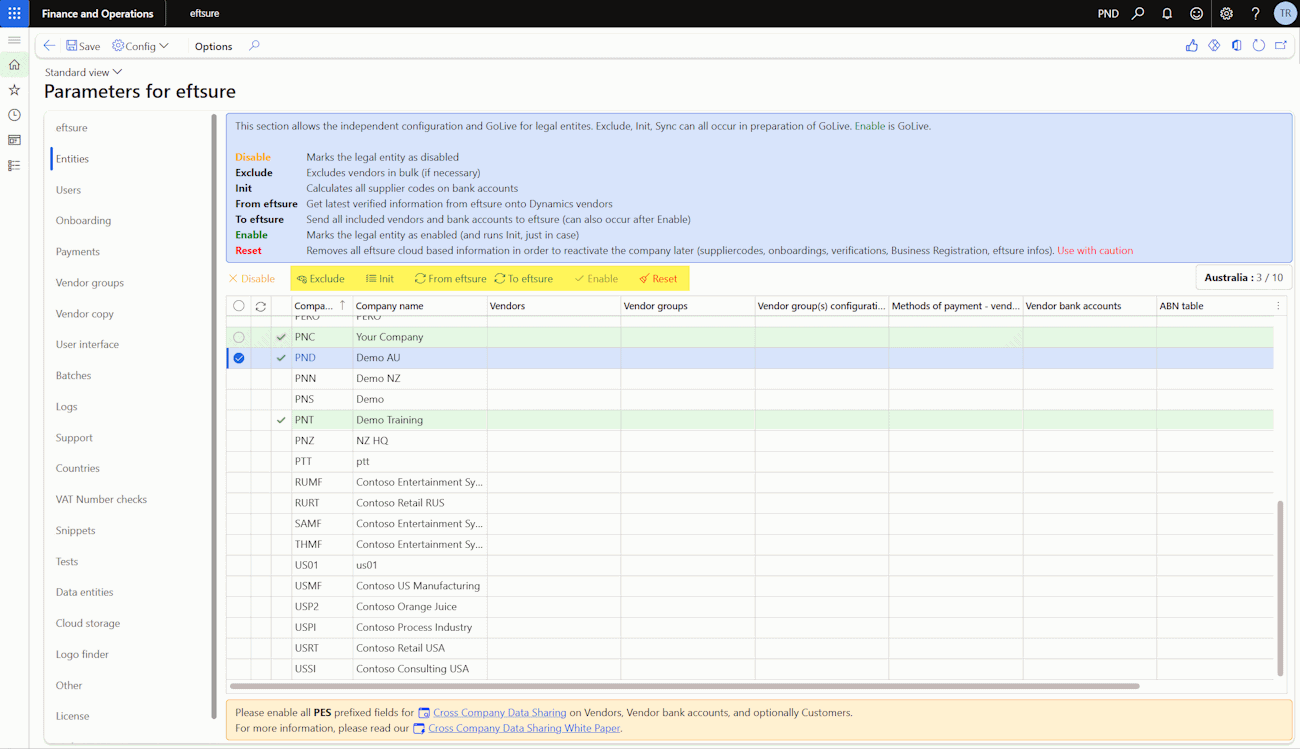
Our customers can Go-Live in a single or multiple phase approach. For multiple phases, consider:
- enabling one or more legal entity at a time
- enabling payment methods after phase 1
Our process needs to be followed from left to right.

For 1st time configuration, suggest performing the process for 1 entity before mass apply to all entities.
Exclude
This function excludes all vendors (matching the task query) from Eftsure.

These vendors can be included at a later stage.
Exclude function to filter vendors' selection criteria as required using provided excluded vendor groups.
Expand "Records to include" for further filter.
We recommend running this task as a batch for faster performance.
The following screen contains a reminder of all vendor group configured as excluded in this entity to help assist entering your query.
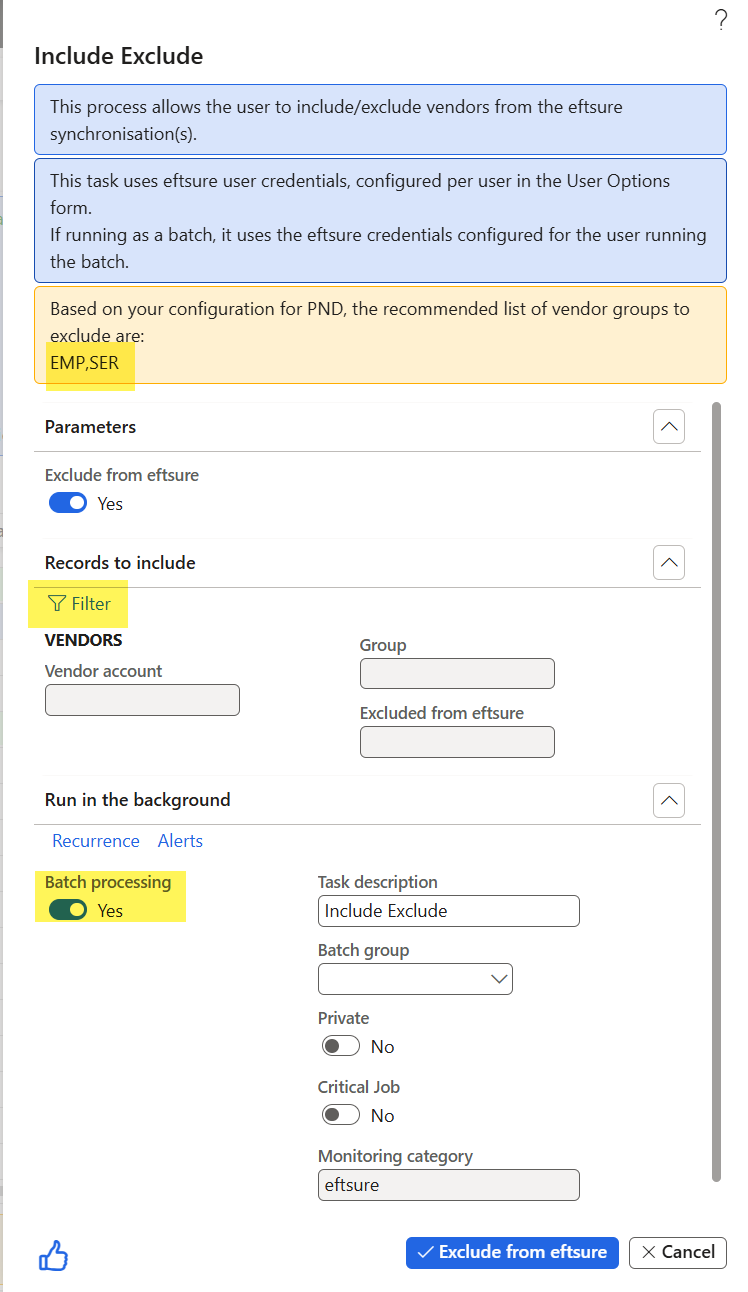
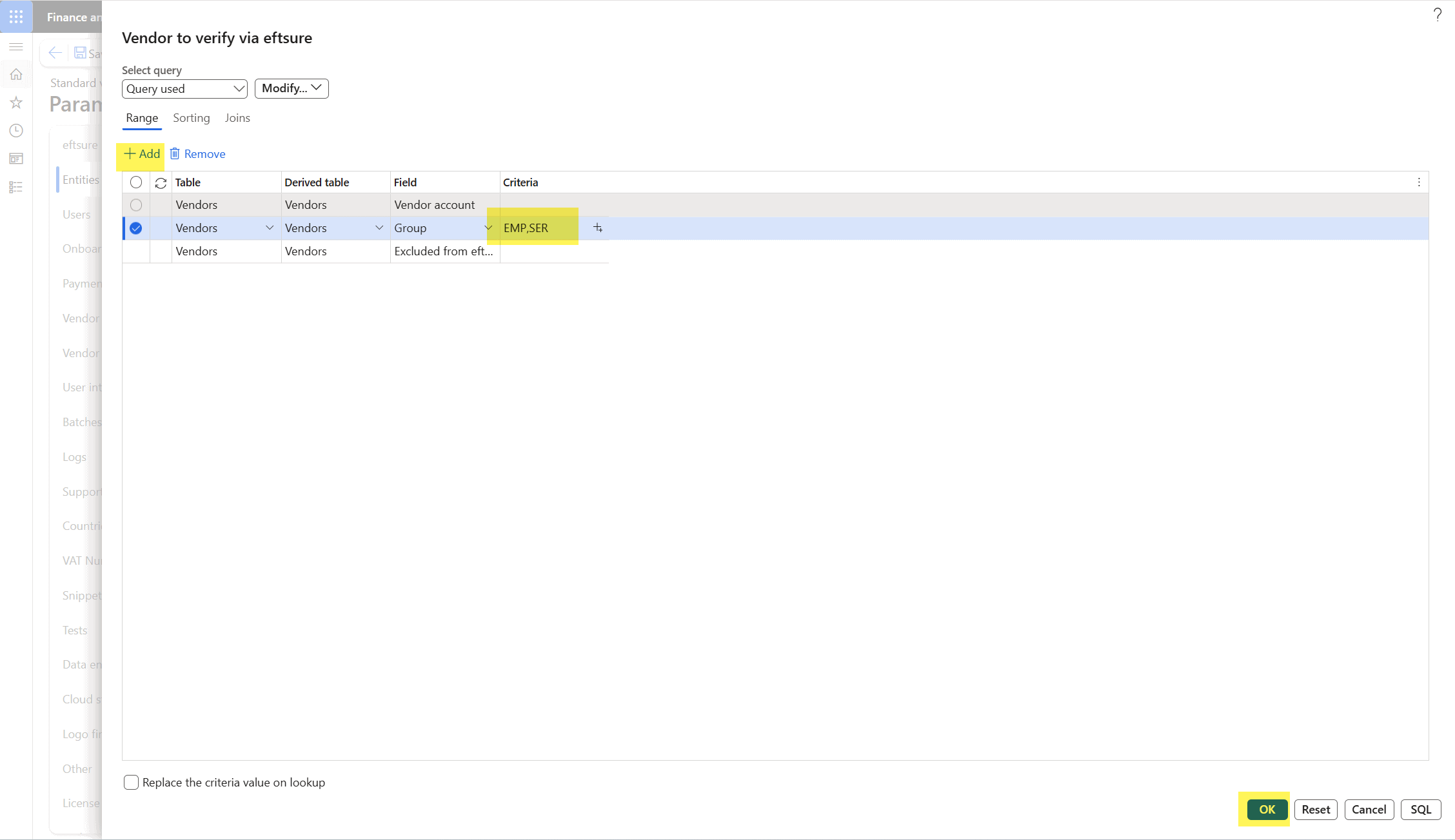
Use the Filters to include or exclude vendors matching your criteria.
Init

This step calculates all supplierCodes on all bank accounts to use as a single identifier with Eftsure portal. The task duration can be impacted by the volume of bank accounts and the number of cross shared entities.
Multi thread: run 10 threads in parallel for faster processing.
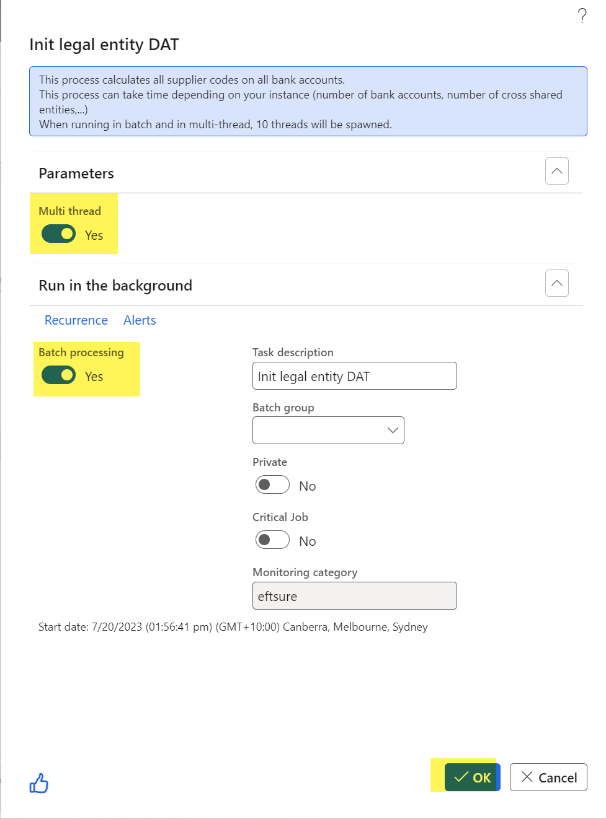

The resulting batch job can be checked in the Admin section of the Eftsure workspace.
From Eftsure

Run From Eftsure Eftsure to download the latest information from Eftsure, including all verifications performed pre Go-Live.
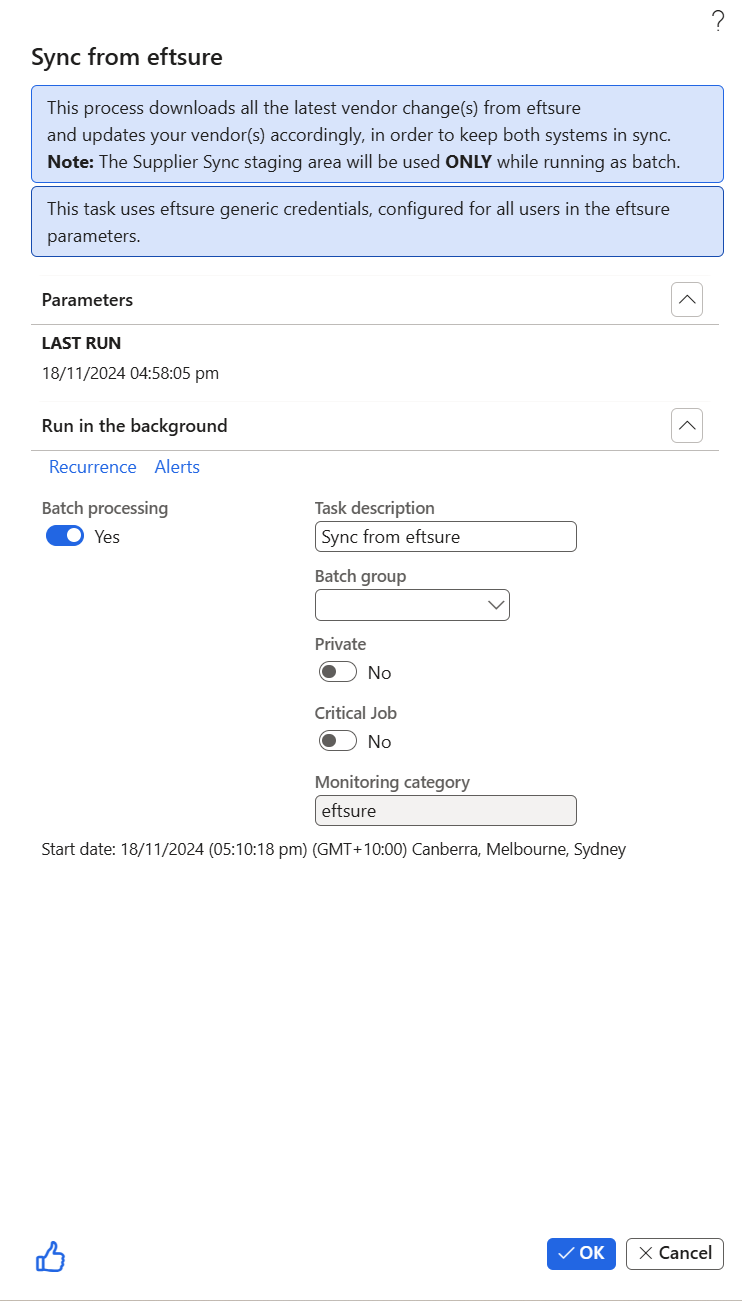
The resulting batch job can be checked in the Admin section of the Eftsure workspace.
Please make sure supplierCodes are in sync before this step, it might lead to inconsistencies otherwise.
If existing customer has inconsistencies in supplierCode between Eftsure and D365, an additional step to change supplier reference in Eftsure portal is required, see Change supplier codes - Portal only.
If new customer has carried out bulk verification mail out, this step should also be completed.
To Eftsure
This task allows the synchronisation of delta vendors, all the vendors created since sending VMF to Eftsure now need to be sent to Eftsure. Depending on the amount and quality of data, this might lead to manual vendor management workflows to reach 100% green status.

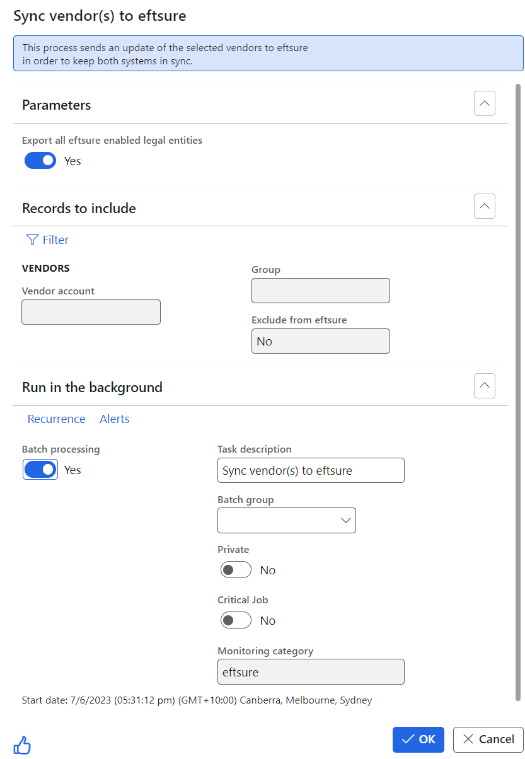
Enable
Once all previous steps have been completed successfully, it's time to enable a legal entity for Eftsure verifications. Once you hit the Enable button, the following message will be displayed:
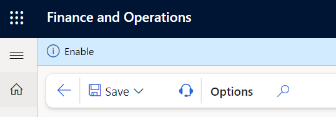
The Enable button will then be greyed out.
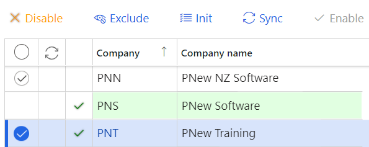
Disable & Reset
The next features are unlikely to be used in daily activities:

- Disable to disable a legal entity completely, users will no longer see Eftsure icons and payments will no longer be protected.
- Reset to reset a legal entity to initial status. Use this function only when recommended by support, as it will remove all Eftsure data for the current legal entity (including, but not limited to supplier codes, onboardings, verifications, business registration, ...).