
Post deployment activities
As part of the D365 environment copy process, when a database refresh is performed by the IT team, eftsure configurations are also copied across, which might become problematic for environment specific configurations.
When moving production database to sandboxes, key users are required to reconfigure eftsure parameters appropriately and complete matching Go-Live steps to bring the environment back to a valid state.
The document below outlines all the steps that must be performed to ensure eftsure is configured correctly and ready for testing.
The eftsure configurations can be exported (by D365 system admin) before the database is refreshed; It will allow quick restore if needed. Save configuration exports to disk or cloud before your configurations are wiped out during database refresh.
We recommend to perform the following actions after any new package deployment or database refresh.
Sandbox environments
Connection
Go to eftsure Parameters > Connection:
Update Environment to Sandbox
Update Client Id, Client Secret and Generic User
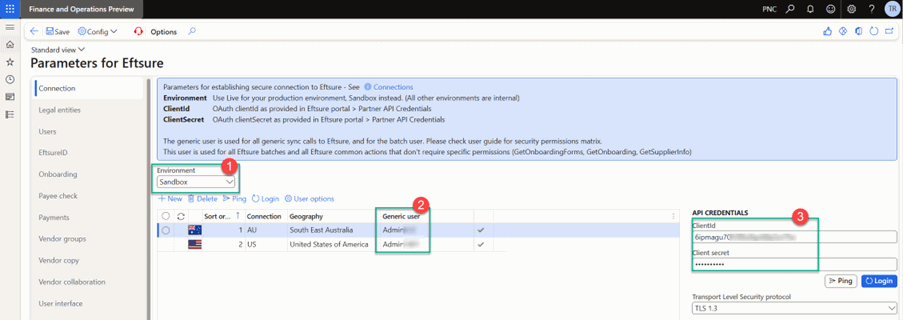
If the customer does not know the sandbox Client ID and Client Secret, please regenerate them by following the API partner credentials connection steps.
Failure to update connection parameters accordingly will result in unexpected system errors,
Please proceed with care.
Users
Then update all user's eftsure account to match the new environment:
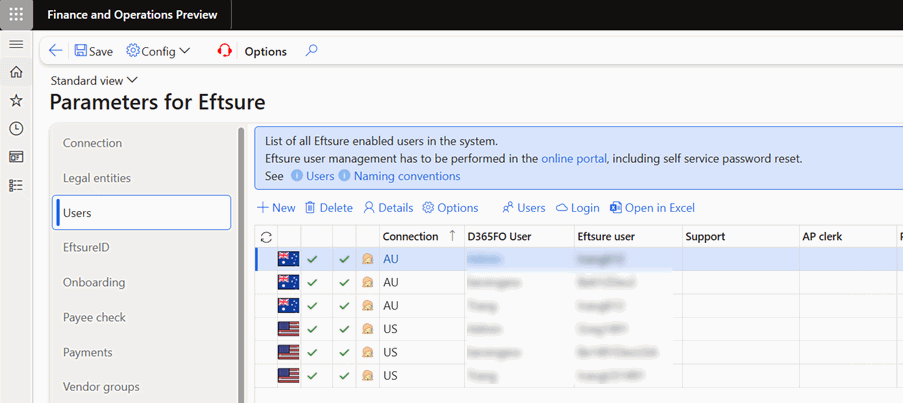
Failure to update users accordingly will result in unexpected user errors,
Please proceed with care.
Data entity refresh
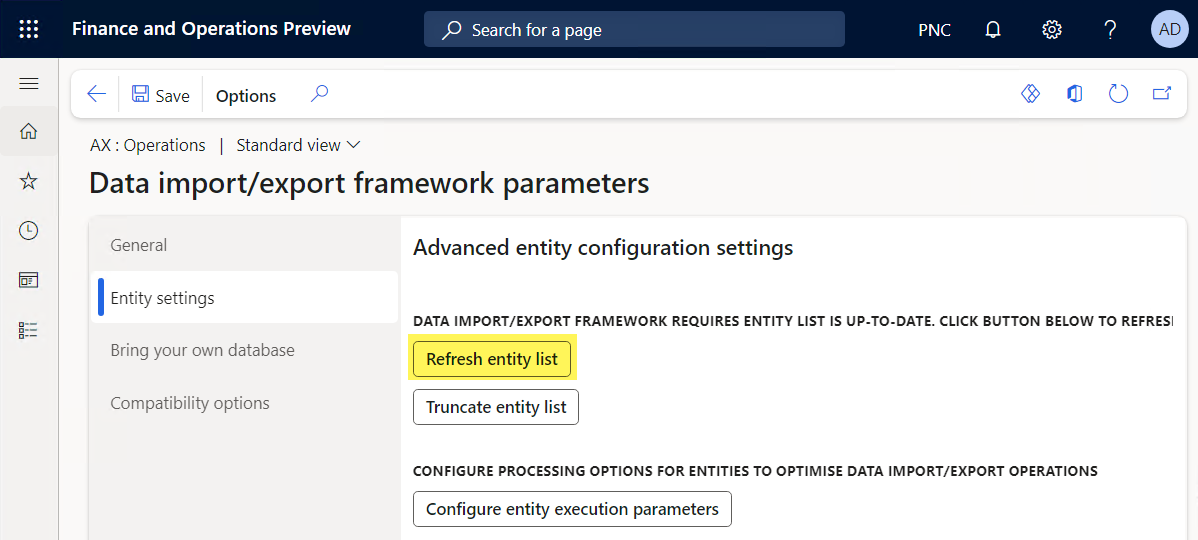
New or updated entities are likely to be published in between new versions. In order to make sure that new entities are deployed, please run the standard entity refresh script available in Data Management > Framework Parameters > Entity Settings > Refresh Entity List.
Cross company data sharing
If the configuration is using cross company data sharing, check for new PES fields on VendTable, VendBankAccount. Deprecated fields to be deleted, otherwise will result in SQL error - See Cross Company Data Sharing.
Check Batches
New or updated batches are likely to be published in between new versions. In order to make sure that you make the most of the new version, please run the Check Batches script available in Eftsure > Admin > Batches > Check Batches and this process will check all batches and create missing batches according to your configuration.
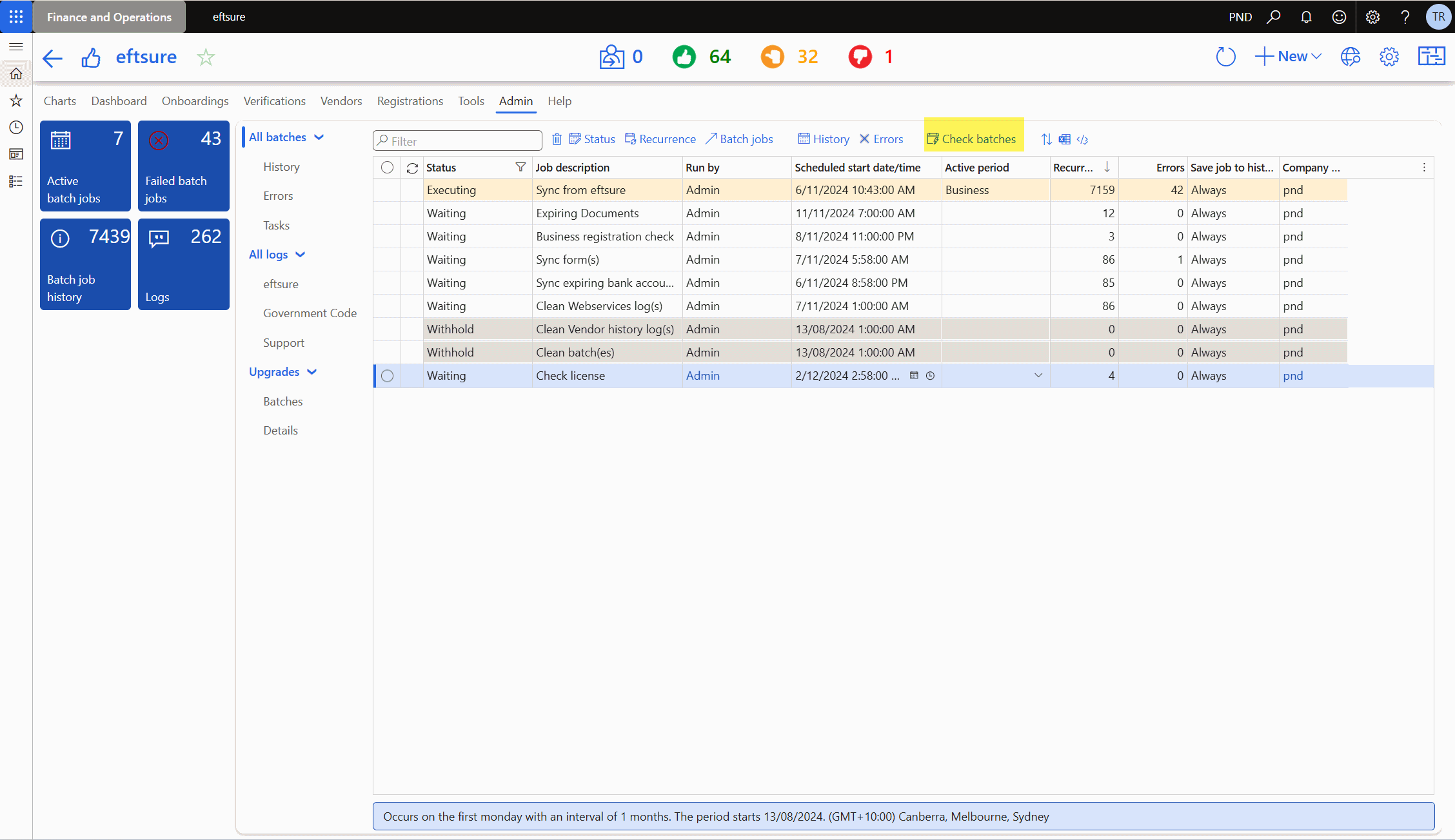
In case of database refresh, the batches sync dates are no longer in sync with your eftsure cloud environment,
You should then reset all efsure batches sync dates in Eftsure > Parameters > Batches > Sync dates.
Use the calendar button to reset the date to a valid date. The last 12 months is generally a valid value to reset to.
Make sure the batches are running successfully.
Sync Forms batch only runs once a day, it is usually a practice to manually synchronise onboarding forms, especially if you intend to re-import your configuration.
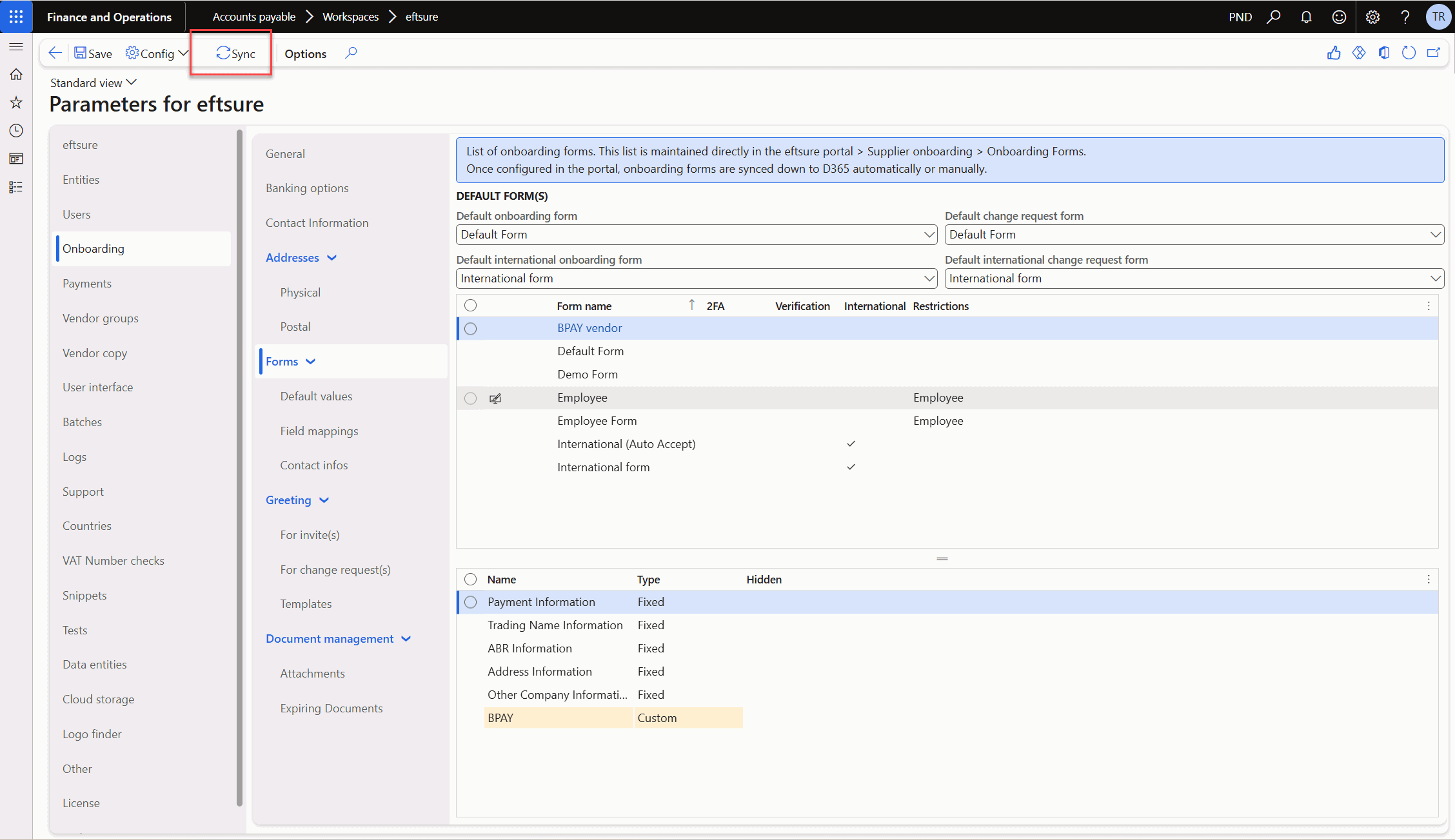
Configuration import
You can now reimport your configuration if needed, or manually configure the new environment.
Data Cleaning
The following data should be cleaned after DB refresh:
- efsure Batch job history: History from another environment is useless in the target environment.
- Supplier Sync staging table: Staging data from another environment is useless in the target environment and may cause sync issues
Re-Init legal entity
For Live environment, Data Upgrade scripts are responsible for running data upgrade scripts. Please monitor their completion status.
For Sandbox environments, Go to Eftsure parameters and run init on all enabled legal entities or proceed with GoLive workflow if needed for new entities:
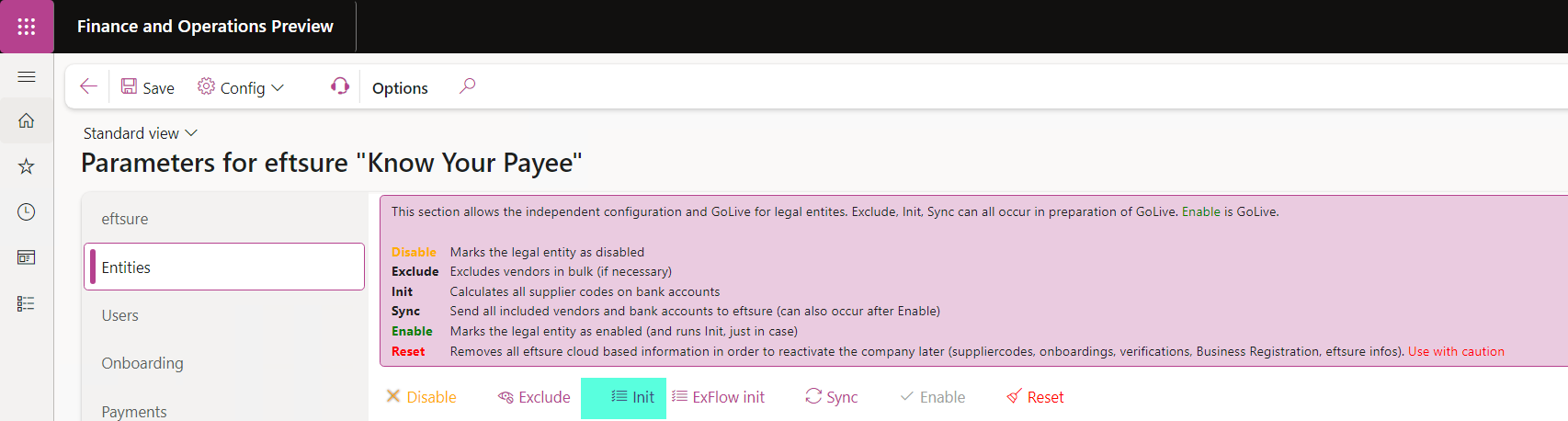
See GoLive for more information.