
Verify new bank accounts
Introduction
A new feature has been designed to automate sending verifications for new bank accounts.
This feature is available since v5.44.46.1681.
Details
This new feature can be configured at the vendor group level and triggers a daily batch, running at 1AM, to send a verification for all suppliers' bank accounts matching the following criteria:
- Legal entity:
- Enabled for eftsure
- Vendor:
- Not excluded from eftsure
- Has an email address configured
- Vendor Country AU or NZ or US
- Vendor group:
- Not excluded from eftsure
- New Send verifications (via batch) option enabled
- Bank account:
- Created in the last 24h by valid eftsure user access
- Status Not Verified Yet (Orange)
- Verification has not been sent already
- Bank account currency AUD or NZD
Configuration
To configure this new automation, go to eftsure Parameters > Vendor groups, Automation.
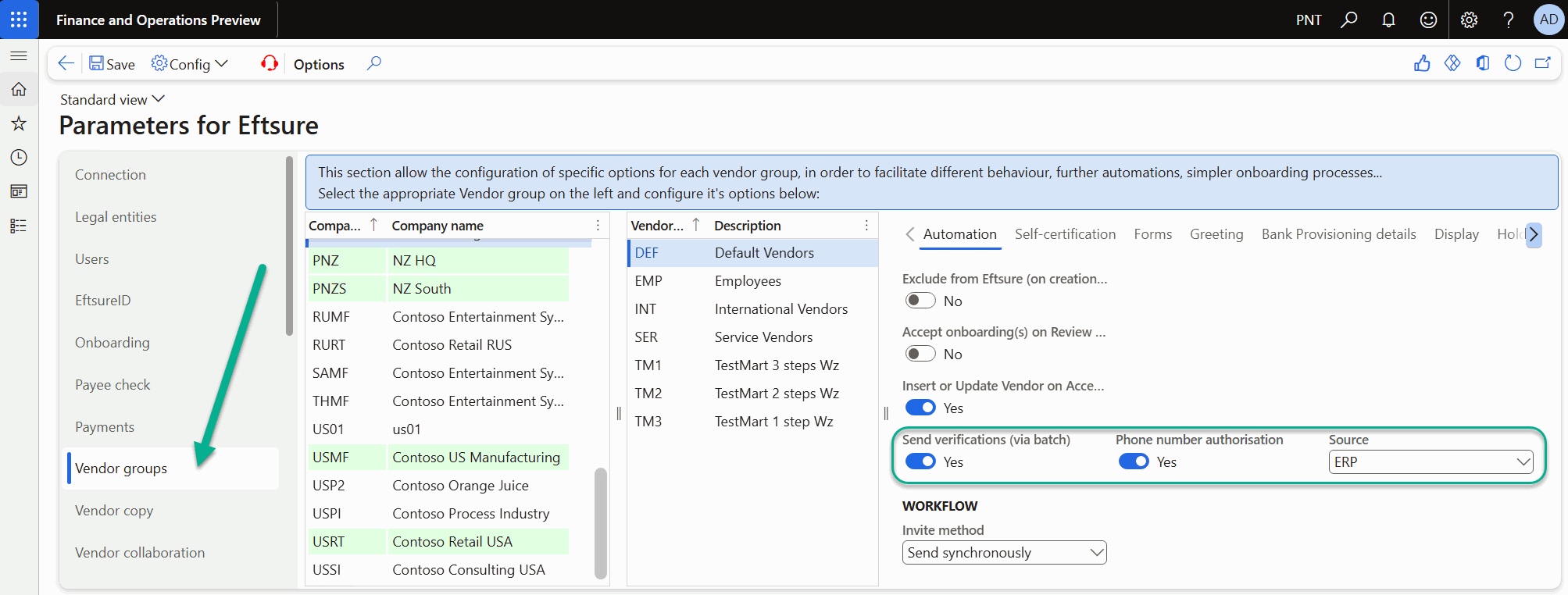
3 new fields are used to configure this feature:

| Name | Description |
|---|---|
| Send verifications (via batch) | Enable the new feature at the vendor group level |
| Phone number authorisation | Do you provide authorisation for eftsure to use the default phone numbers if our verification team is unable to externally source the supplier's phone number |
| Source | Source of the phone number. Recommended value where appropriate: ERP |
Depending on your configuration, some of these fields may or may not be required before processing. Our upgrade script will highlight the missing fields in your data sharing policies.
Manual run
Although designed to be fully automated, this new batch can be triggered manually or used for testing. It is available in eftsure Workspace > Admin > All batches > Tools > Sync > Verify new bank accounts.
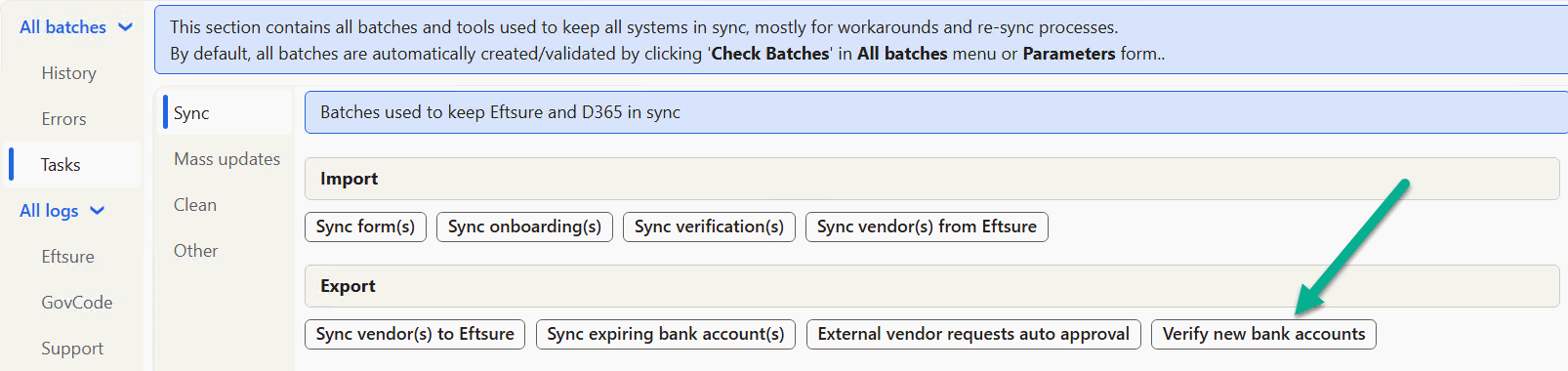
Security permission is granted to PESAdmin, PESConfigure, PESMaintain, PESSupport privileges.
It opens the following popup:
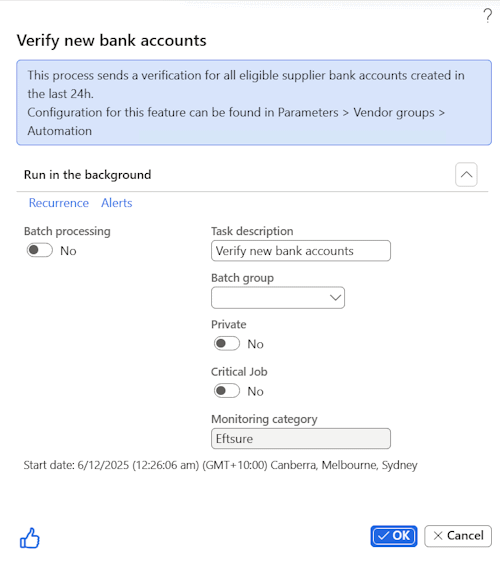
Batch configuration
The new batch matches eftsure's batch framework. Use the Check Batches feature to regenerate all eftsure batches.
If Hide Verifications is not turned on (Parameters>User Interface > Extend > Hide > Verifications), as soon as a single vendor group is enabled for this feature, the Check Batches will create a new batch visible in eftsure Workspace > Admin > All Batches
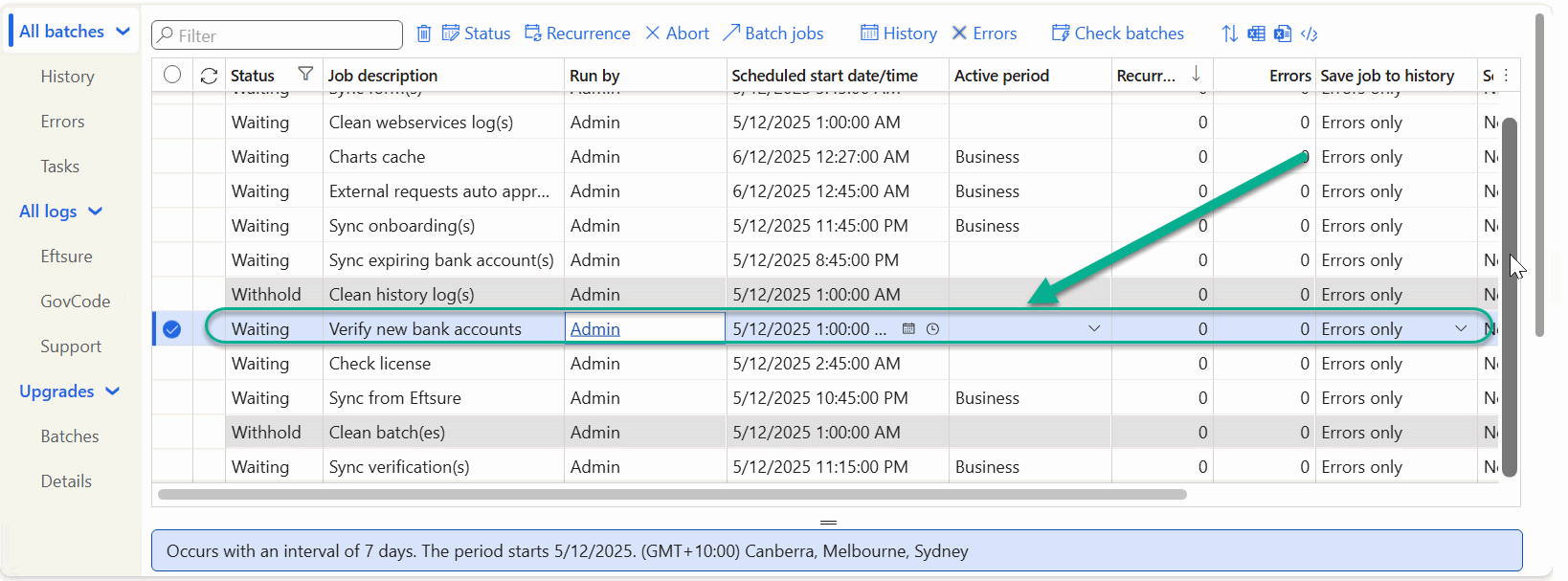
By default, this batch will run every day at 1AM, but can be amended by your administrator
The user running this batch will require eftsure credentials configured in user options to function properly.
Execution
During a single run, the system will query all bank accounts in all legal entities matching the above criteria and attempt to send a verification as per the previous configuration.
This example below shows the execution on a day where 5 vendors were created:
- 1 vendor without bank account (not valid for verification)
- 1 vendor excluded from eftsure with a bank account (not valid for verification)
- 1 vendor with a cross matched bank account (not valid for verification)
- 1 vendor with a Not Verified Yet bank account but no email (PNC-001886)
- 1 vendor with a Not Verified Yet bank account (PNC-001887).
Only 2 bank accounts are eligible for bank account verification and will be displayed into the logs.
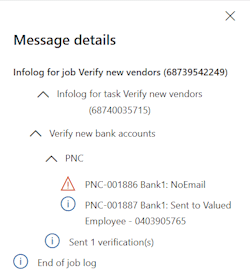
For each bank account, the system will attempt to automate the same action as eftsure menu > Verification:
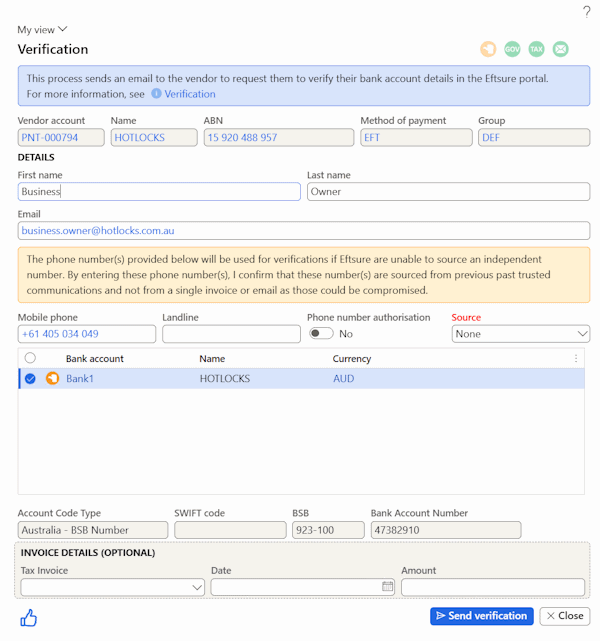
The following default values will be calculated, similar to the above form default values:
First name & Last name: Found on the matching contact person if available, otherwise use first name and last name from vendor group configuration, otherwise use first name and last name from system configuration.
Landline & Mobile & Email: Find primary value at the vendor level, otherwise at the contact person level, otherwise at find the non-primary value at the vendor level.
Phone number authorization and source: values as configured in the vendor group configuration.
Check execution logs
Batch execution logs are available in eftsure Workspace > Admin > All batches > History:
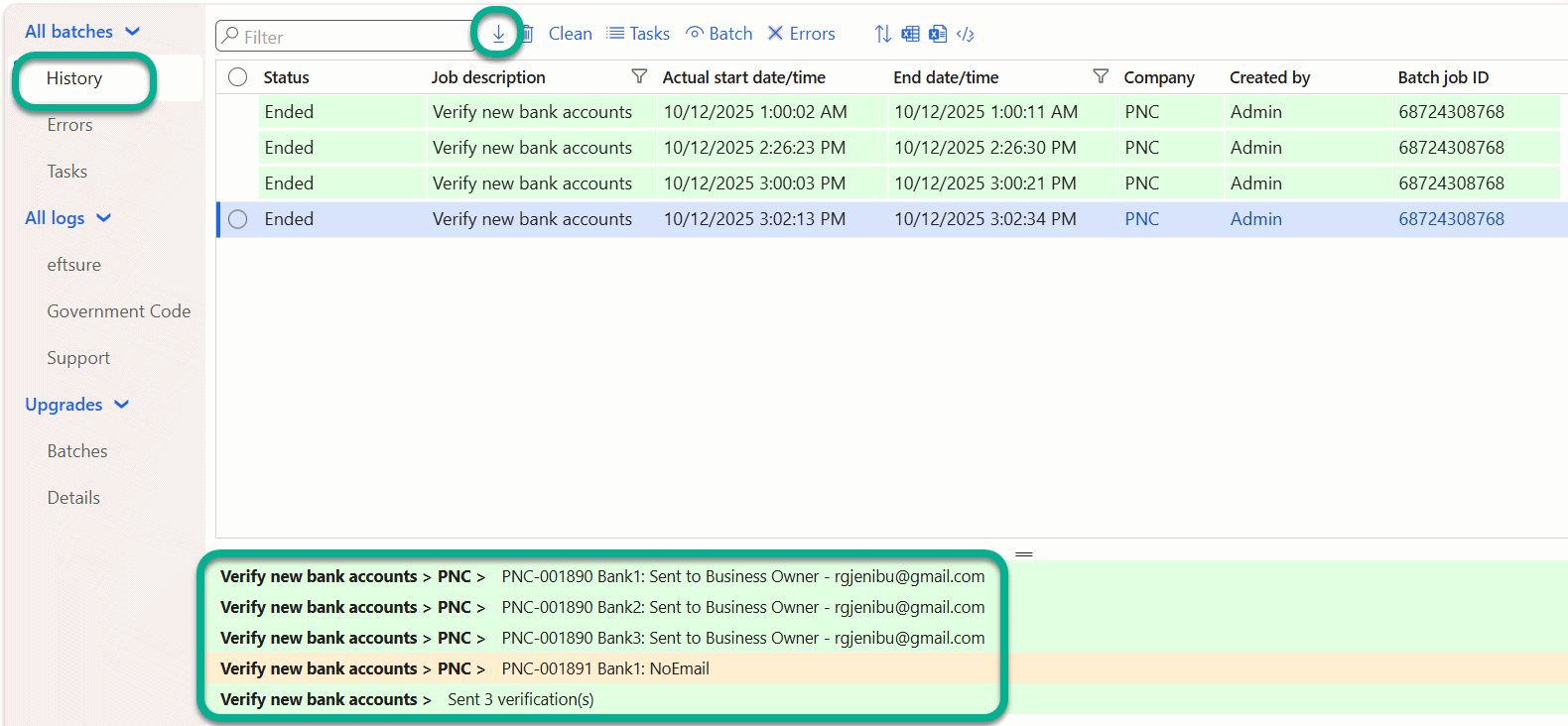
User can download the batch job history using Download icon.
Exceptions
All exceptions/errors will need to be manually corrected/cleared, before manually sending the verification to the supplier, as this new batch only processes bank accounts from the last 24hs.
To clear errors, go to eftsure Workspace > Vendors > Not Verified Yet, select the vendors in error, click the eftsure menu > Verifications to find the reason for the failure.
- Invalid email,
- Incorrect phone number, mobile, landline
- Timeout, server down...
- Etc...
Miscellaneous
All new columns at the vendor group configuration level are now also available in parameters entities for configuration import/export.
New upgrade script to set all vendor group configuration default values for authorization = Yes and Source = ERP, while automation is set to opt-in.