
Onboarding workflow
This document details the feature which will allow user to perform additional pre-approval workflow for onboarding process providing more internal control before onboarding invite is sent to vendor.
Configuration requirement
Before this feature can be used, initial configuration has to be completed by Eftsure key user permission role.
Onboarding
With out of the box extension, standard onboarding with no pre-approval is default setting ie single user sending onboarding invite without approval and workflow.
This configuration at global level for all legal entities
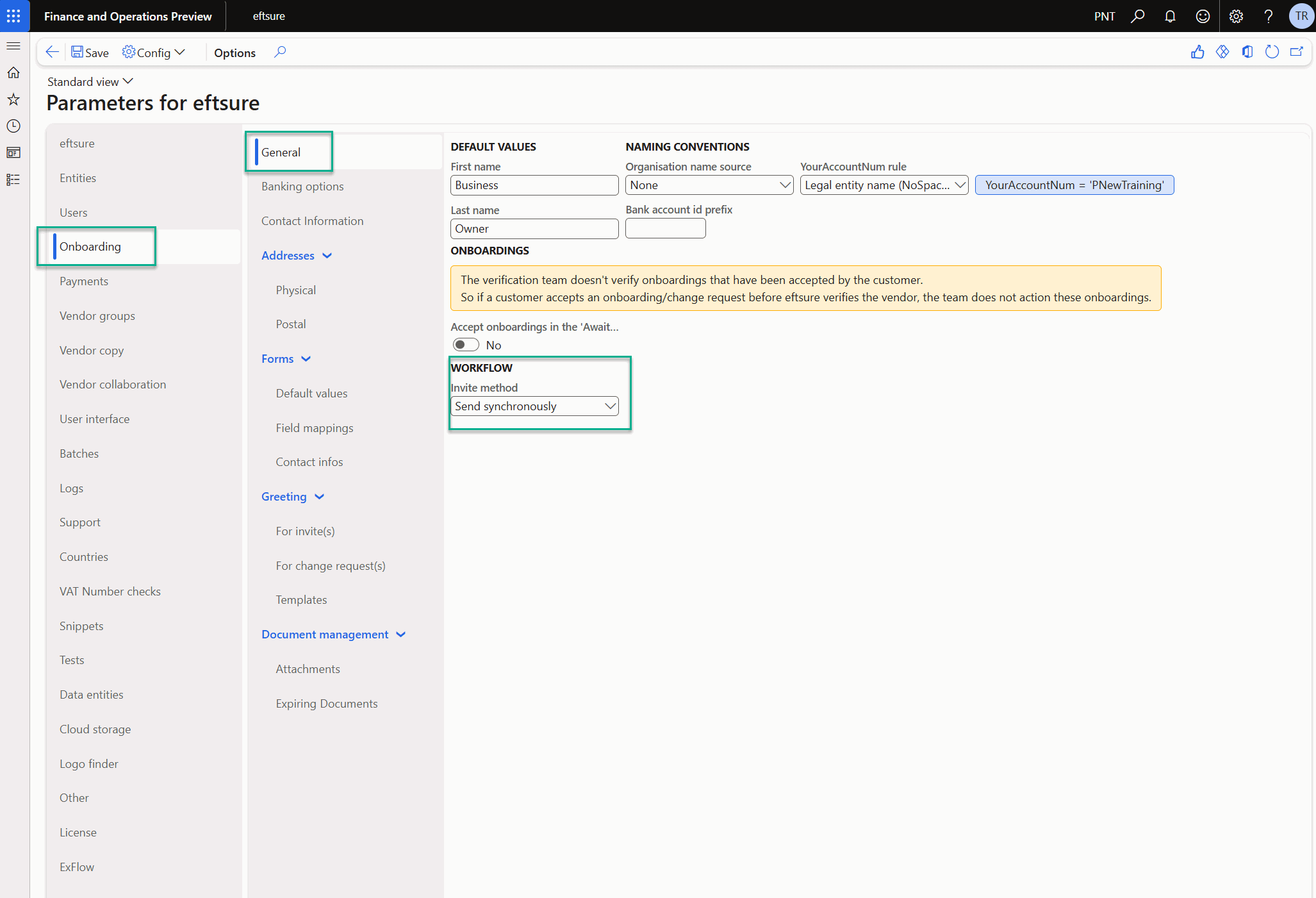
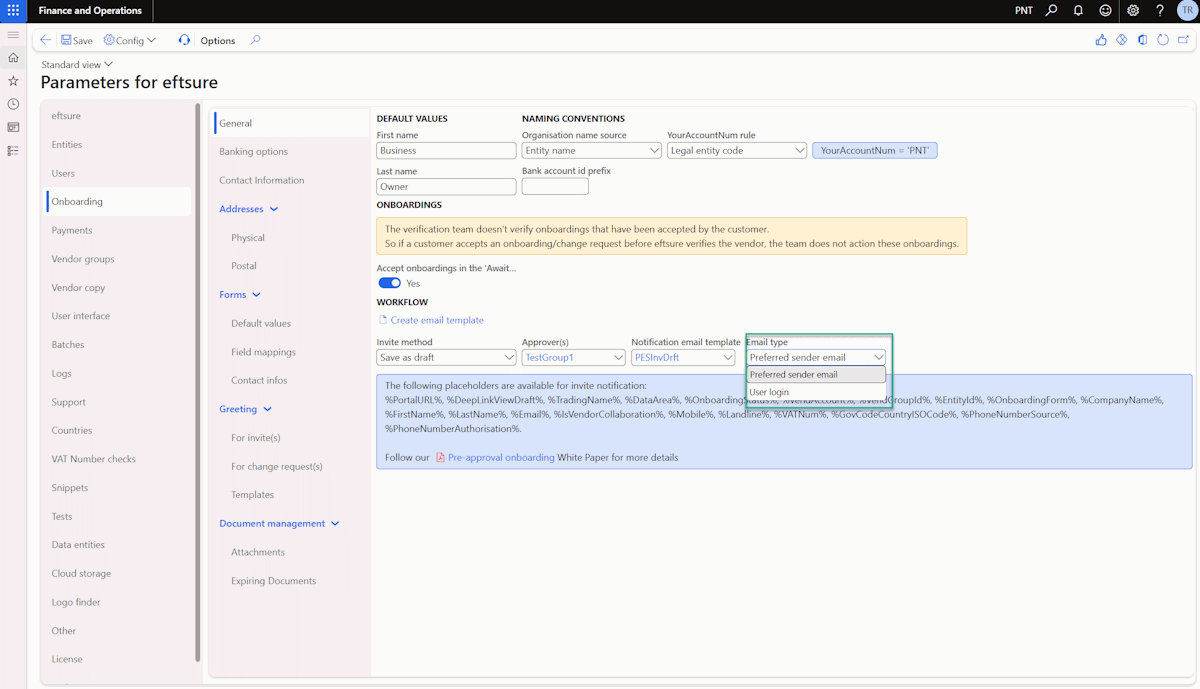
If user wants to turn on the pre-approval workflow, "Save as draft" option will need to be selected.
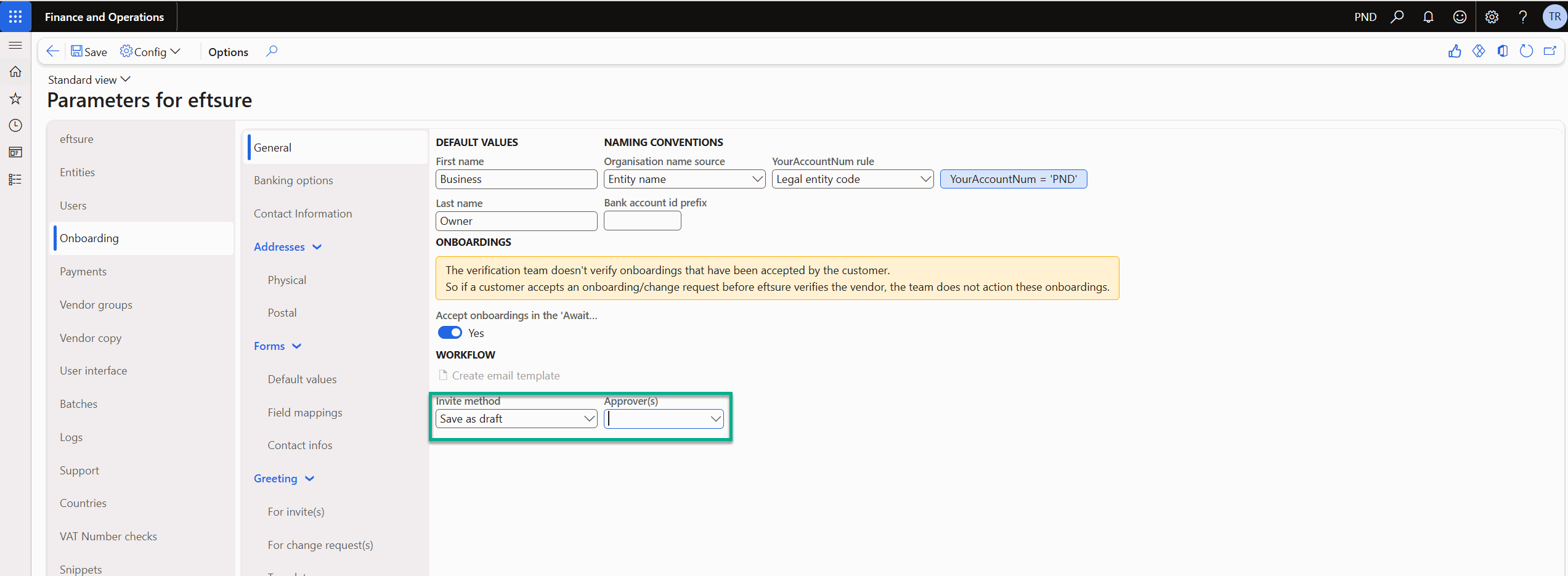
No Approver
When no Approver group is selected, pre-approval workflow will still be triggered and moved to draft for review before sending onboarding invite.
All of the above actions can be completed by the same user.
With Approver
When Approver group is selected, pre-approval workflow will be triggered and sent to approver within the group for review and send. Onboarding will be moved to Draft and changed to Pending status.
More detail will be clarified in following Process > Onboarding section.
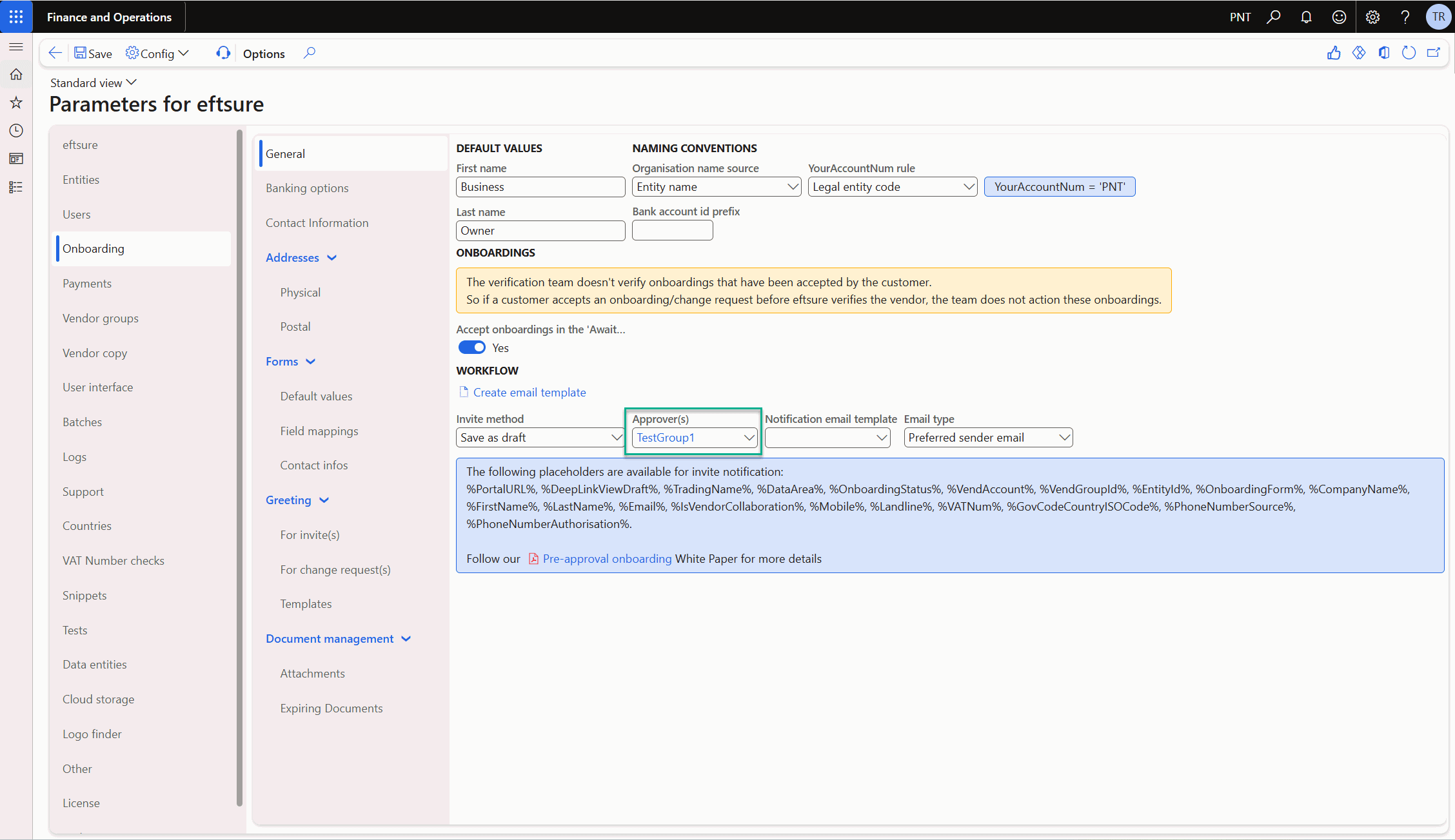
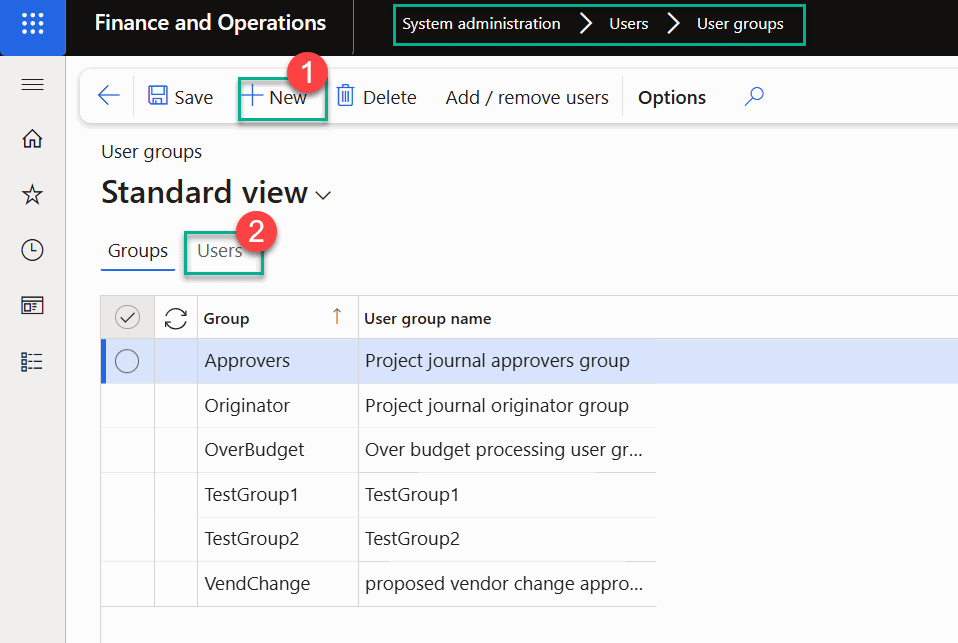
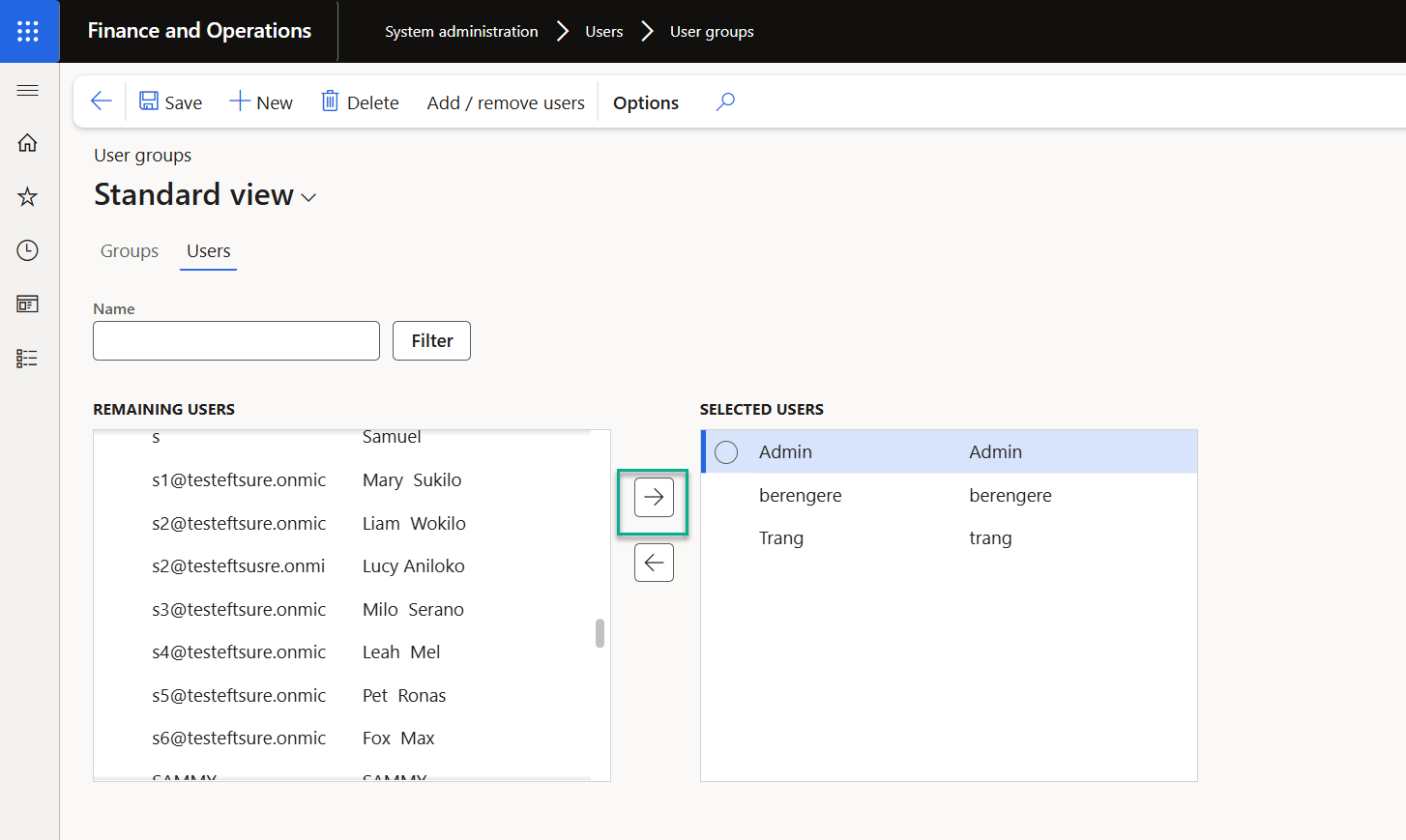
Approver/User groups will need to be setup accordingly. Appendix setup user groups

Email template
If user wants to create email template for pre-approval, it can be done by system admin.

Alternatively, user can use Create email template button to generate a ready template.
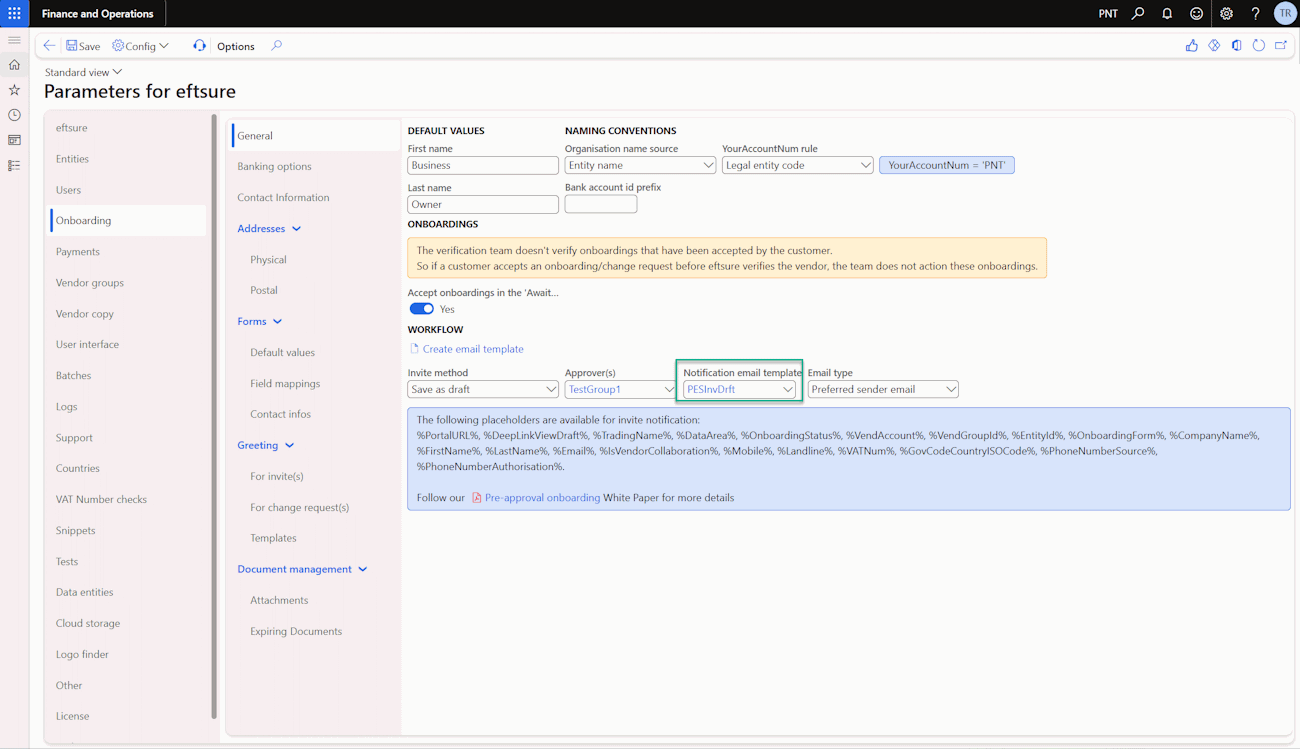
Sample email template is as below:

With default email template, View draft link will bring approver directly to the record for review and approval within efture workspace.
Email Type
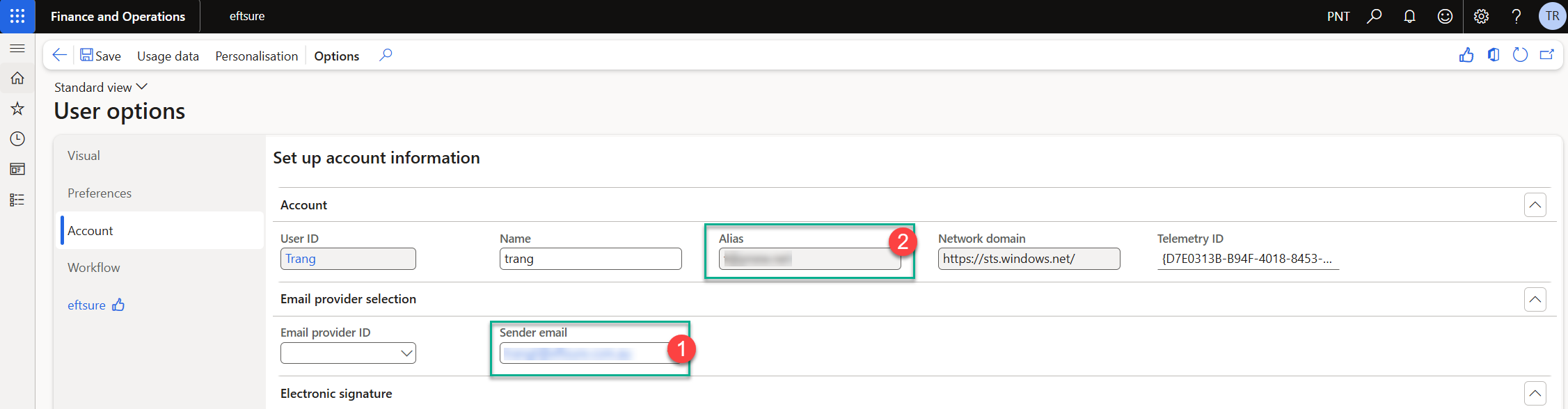
Email type can be selected either by using 1-sender email or 2-User login (Alias).
User can review email sent via below menu path.


Vendor groups
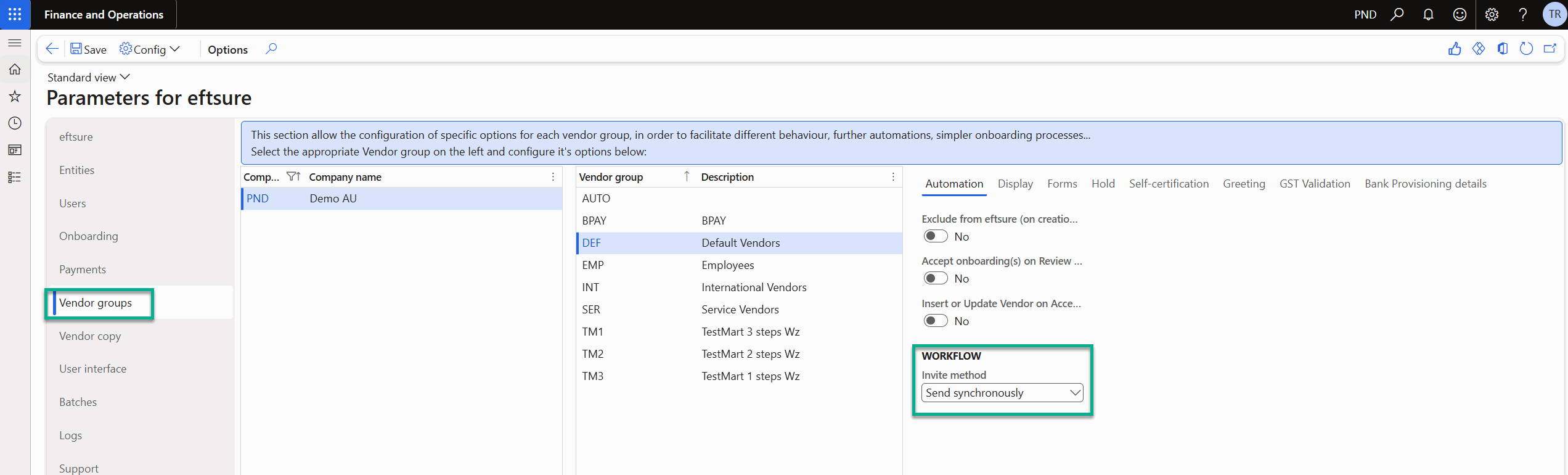
Same as configuration in Onboarding, out of the box extension will be standard onboarding with no pre-approval is default setting ie single user sending onboarding invite without approval and workflow.
This configuration is available at company and vendor group level.
No Approver
When no Approver group is selected, pre-approval workflow will still be triggered for selected company, vendor group and moved to draft for review before sending onboarding invite.
All of the above actions can be completed by the same user.
With Approver
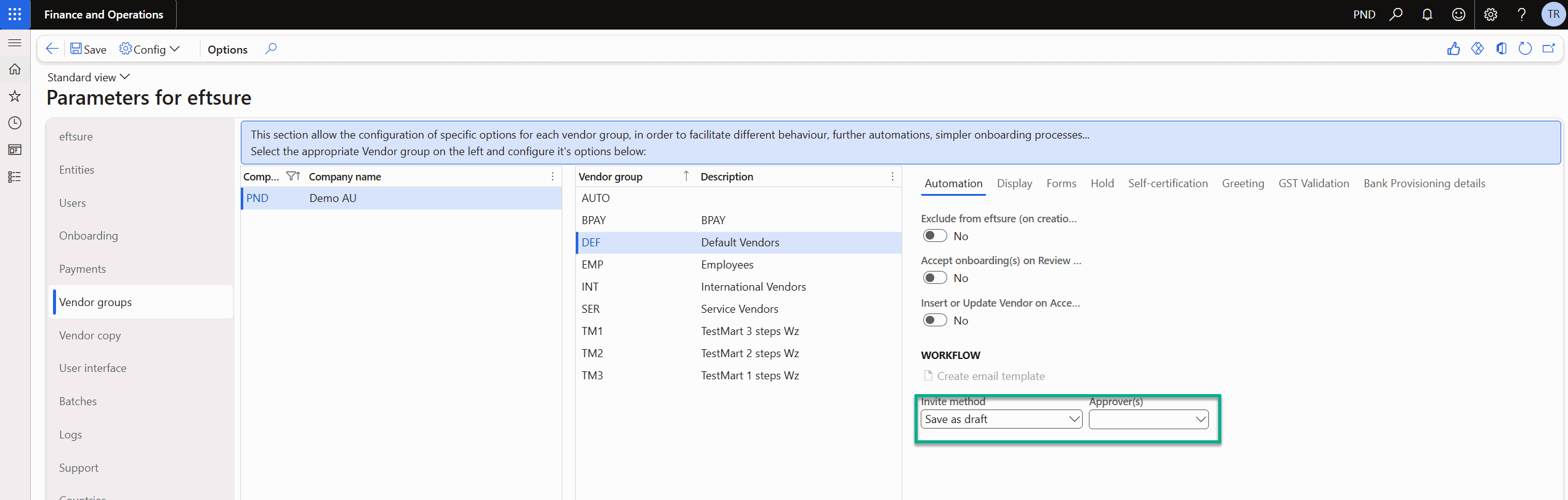
When Approver group is selected, pre-approval workflow for selected company/vendor group will be triggered and sent to approver within the group for review and send. Onboarding will be moved to Draft and changed to Pending status.
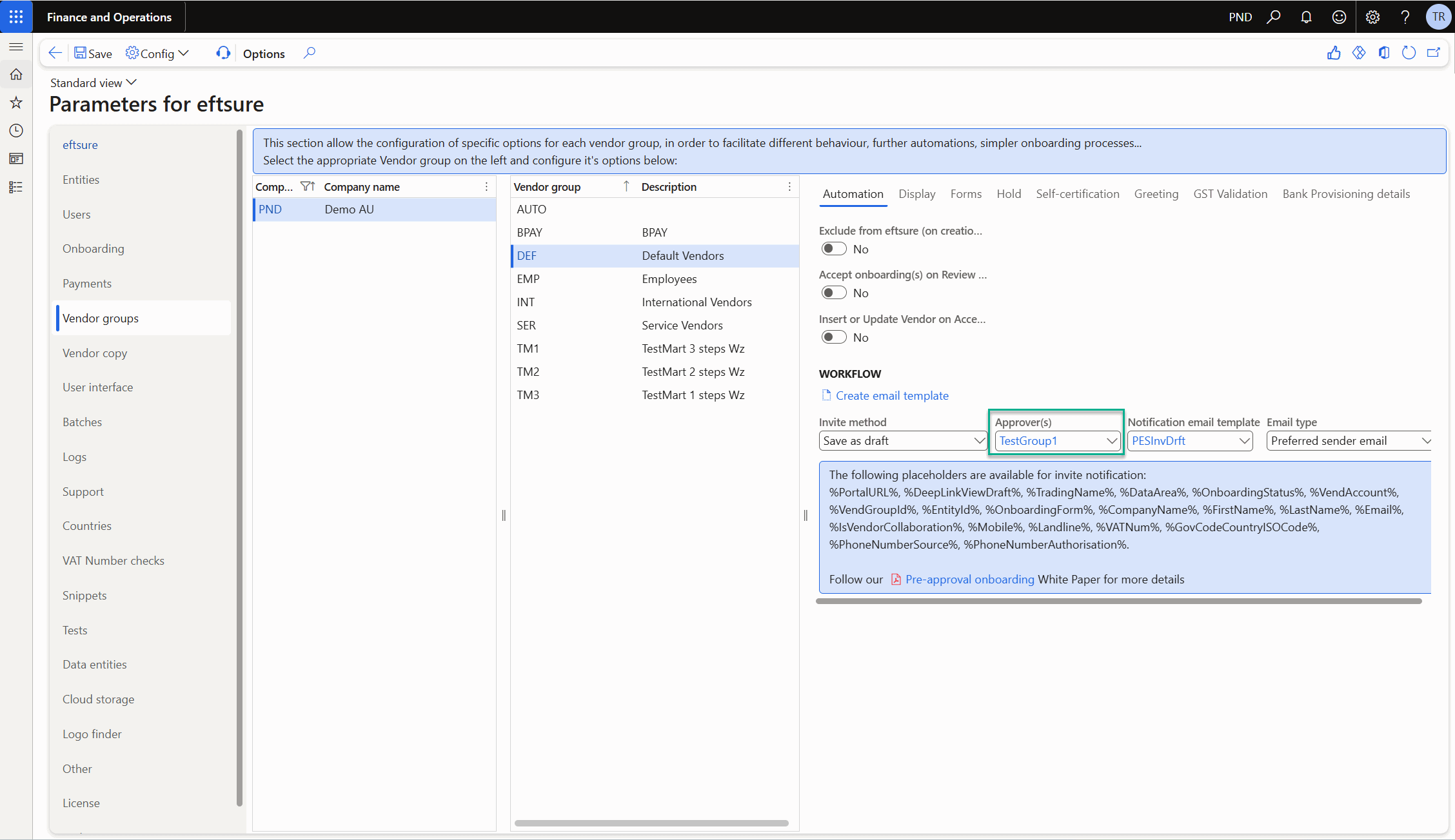
Email template
If user wants to create Organisation email template for pre-approval, it can be done by system admin.

Alternatively, user can use Create email template button to generate a ready template.
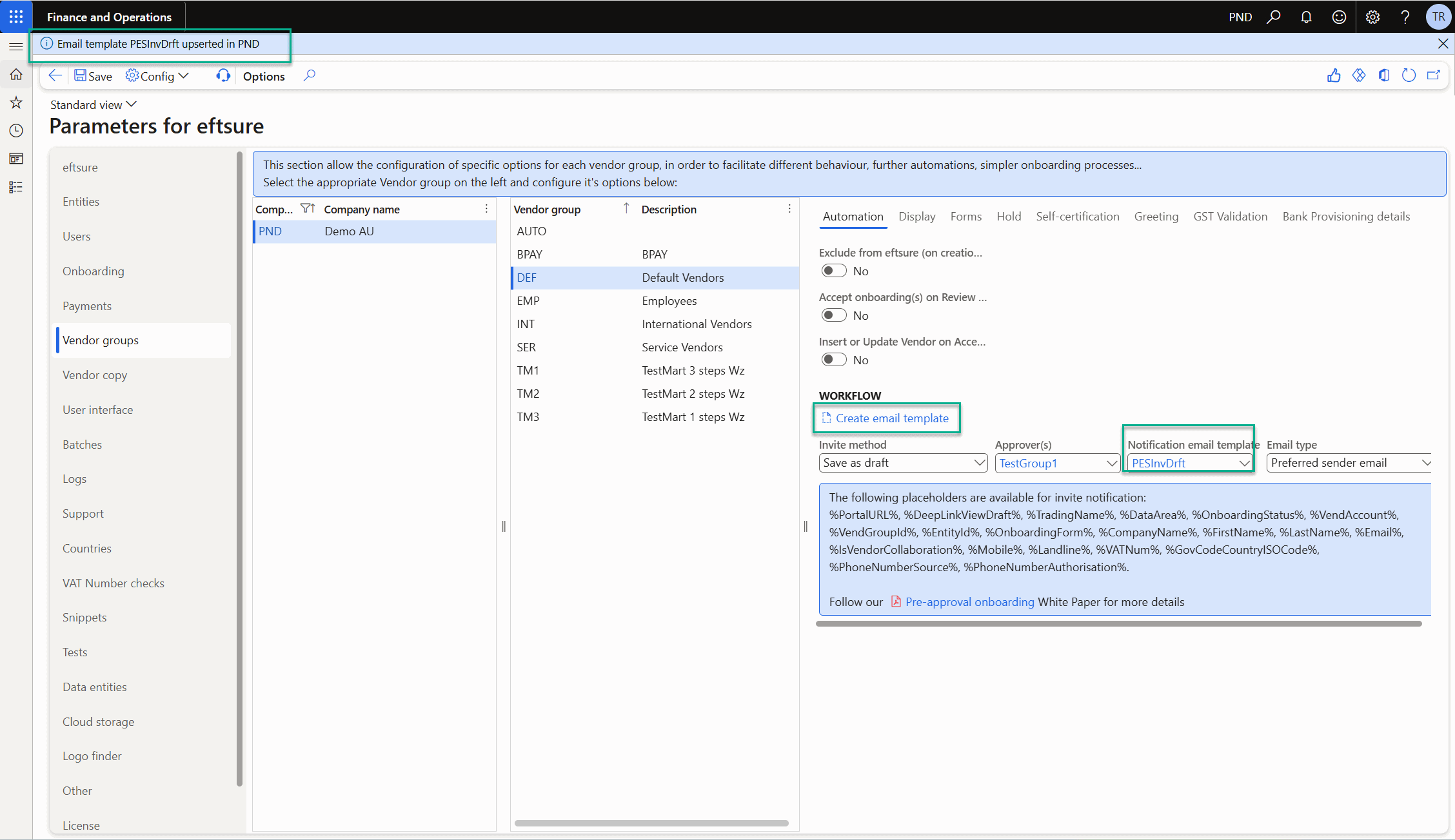
Email Type
Same as Onboarding > Email type setup
Process
Accessibility
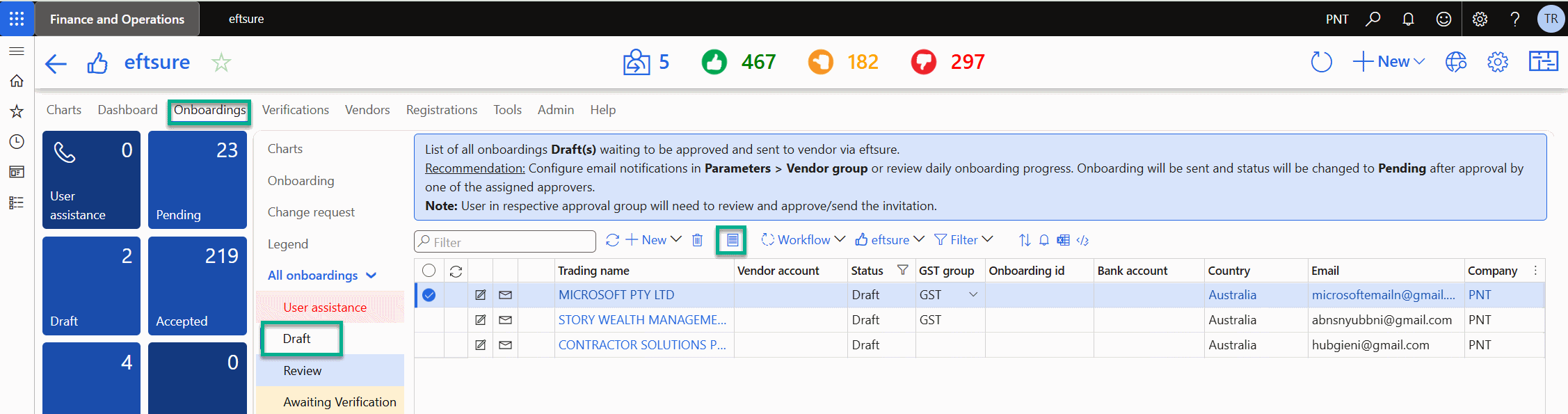
There is an additional tab/status Draft under Eftsure workspace > Onboardings. This is the tab where all approver should use to review and send onboarding.
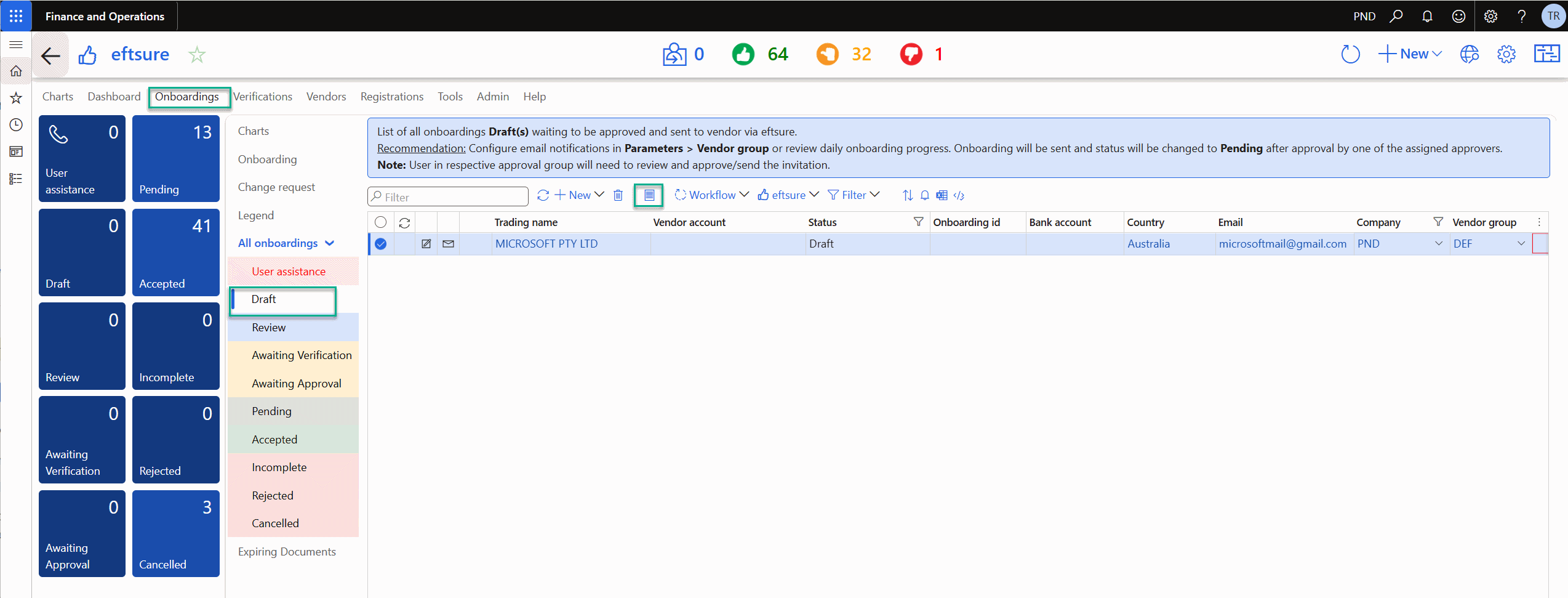
Onboarding
Once pre-approval workflow is enabled, once standard Onboarding button is selected, we will generate onboarding from with default information as per Parameter. For more detail, please refer to User Guide.
Instead of Send Invite button, it has been changed to Send for review to trigger pre-approval workflow.
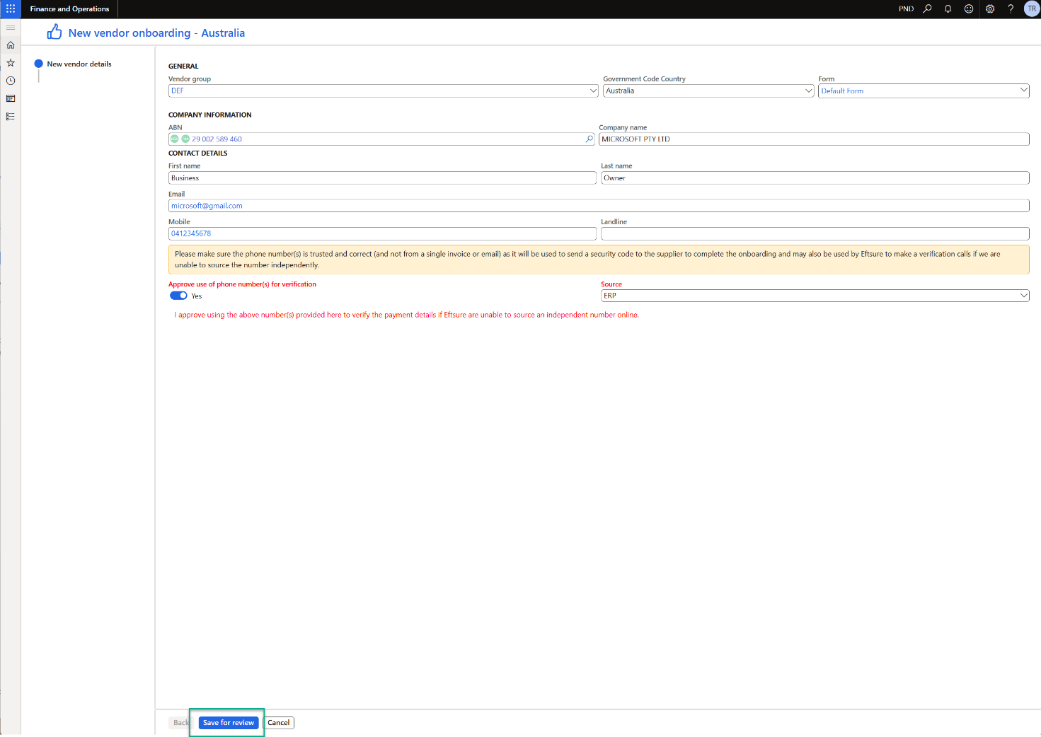
Approver can review onboarding form via below button.
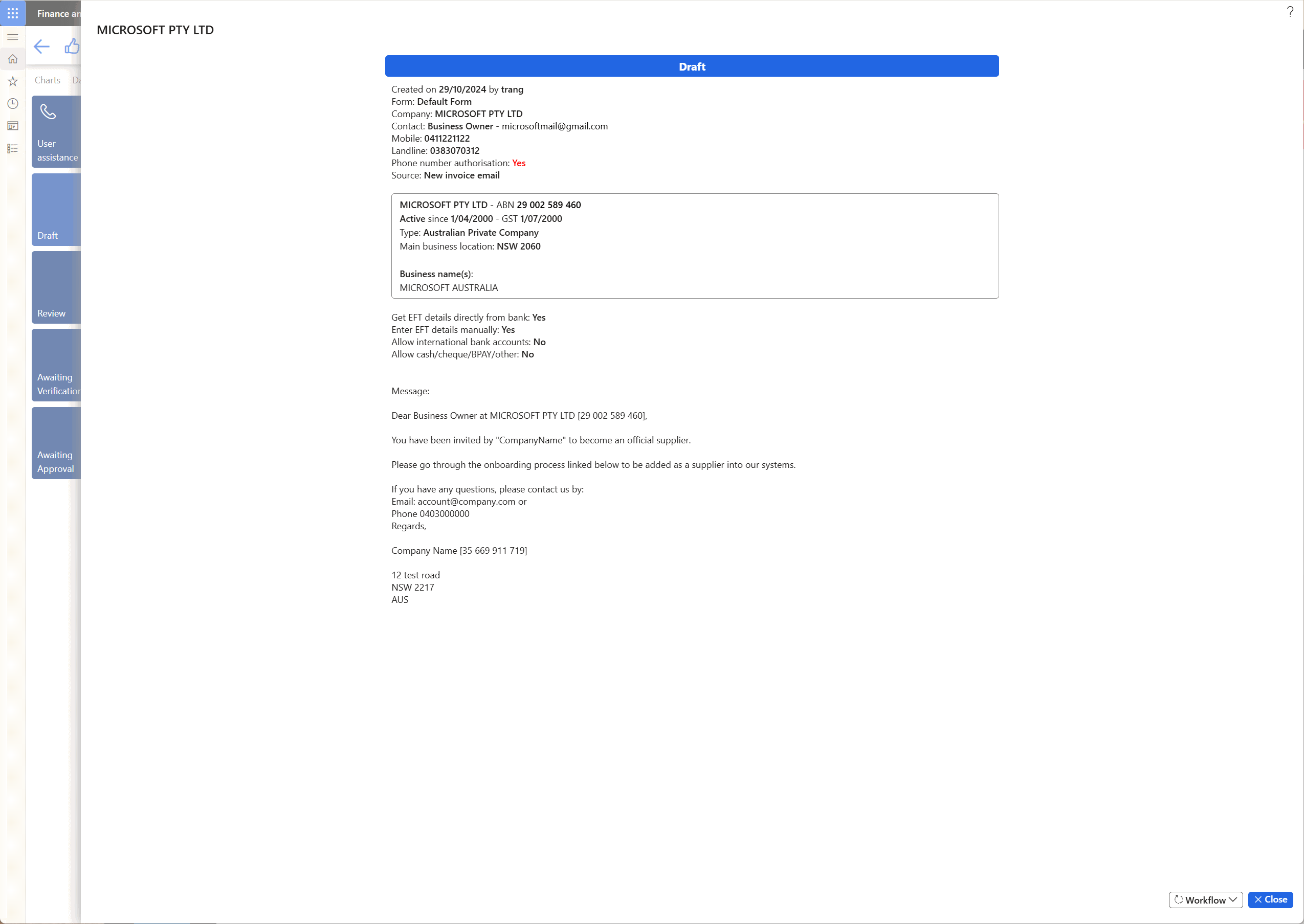
Draft onboarding form will include requester name and date as well as onboarding greeting which vendor will receive.
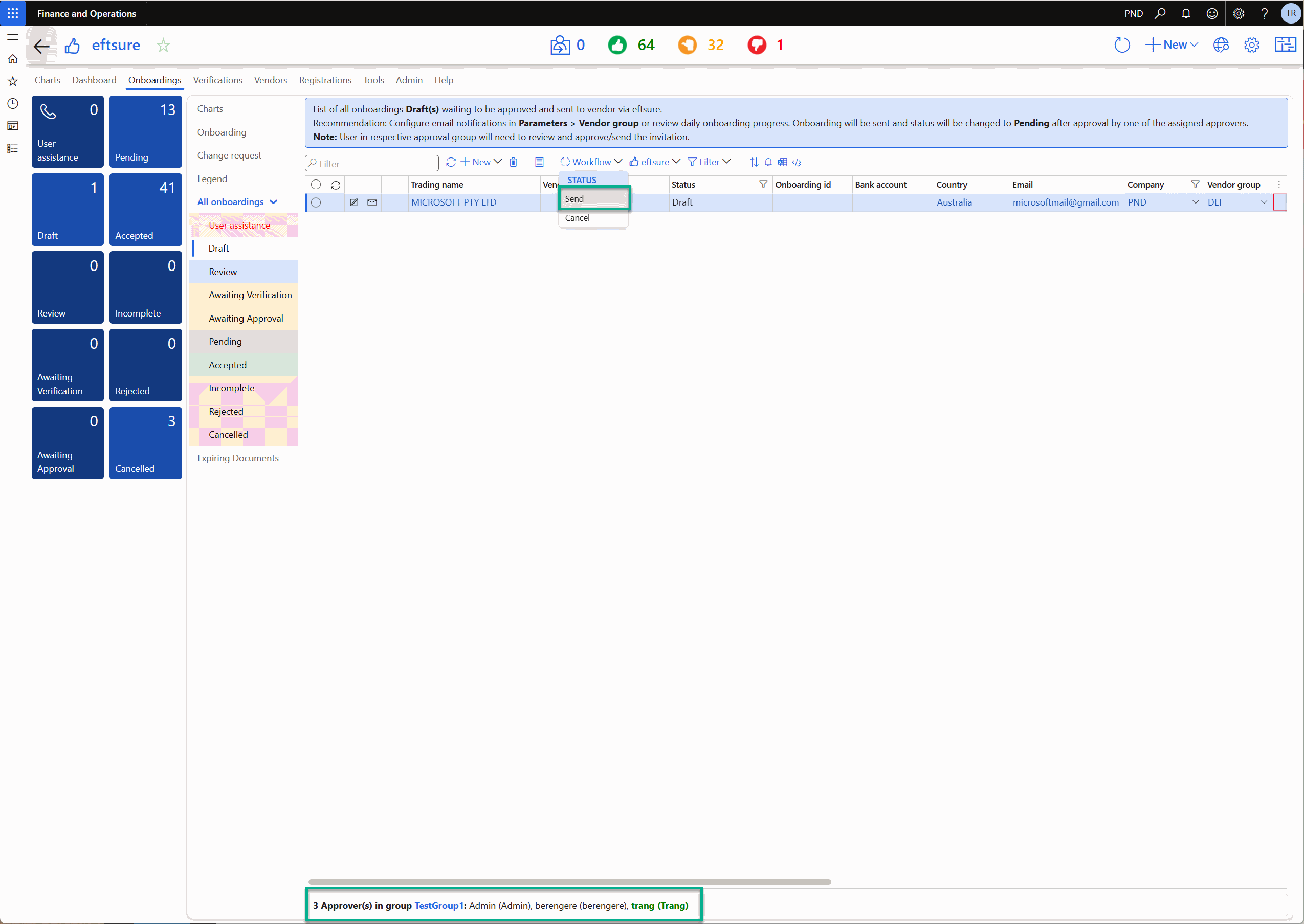
Once draft onboarding form is reviewed, onboarding form can be sent or cancel using Workflow button.
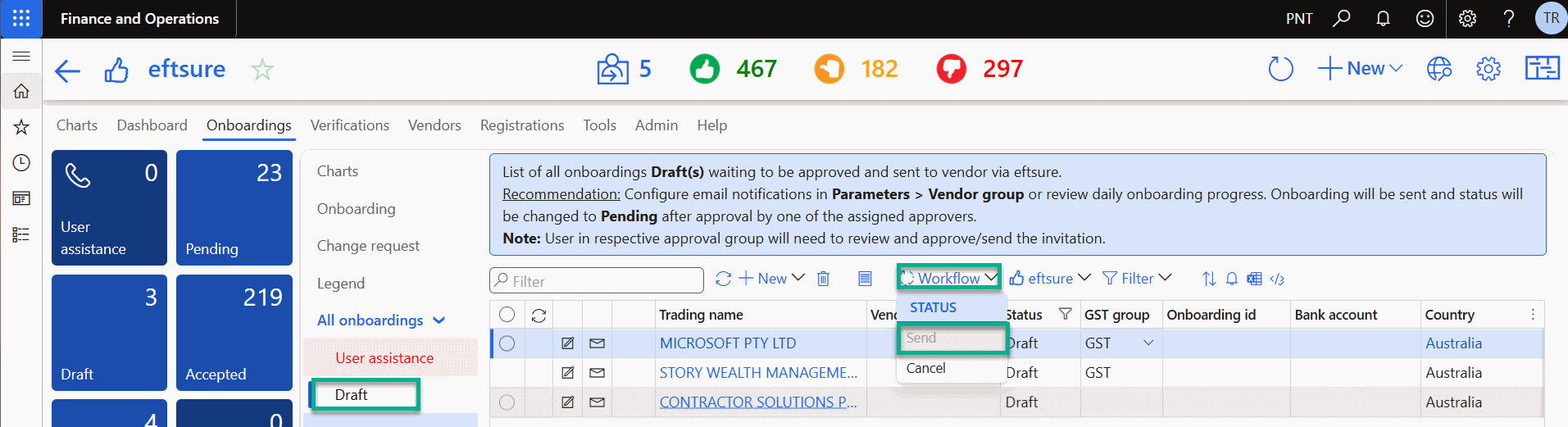
If you are not in the Approver group, Send button will be disabled.
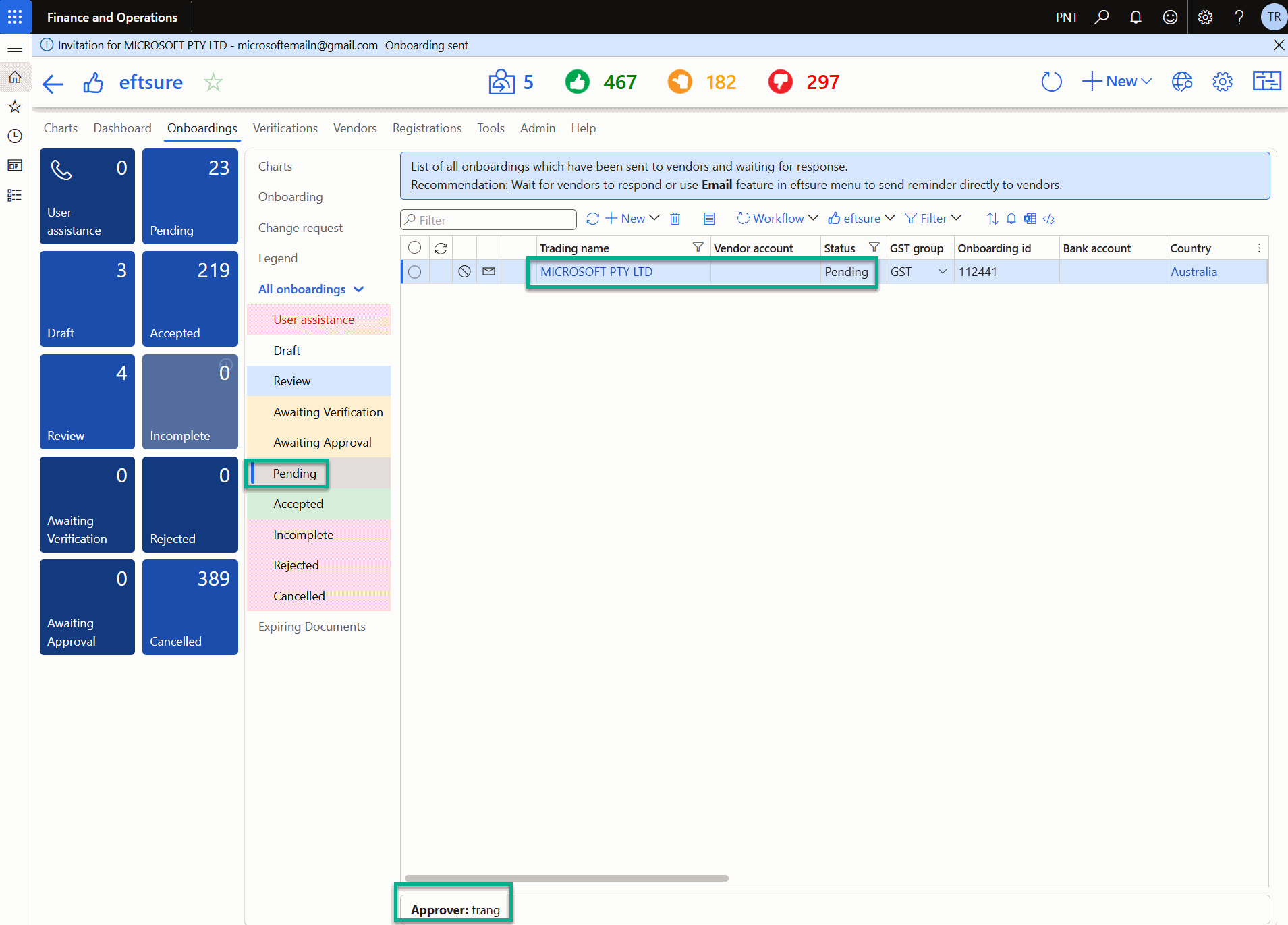
Once onboarding is sent, onboarding status will be changed to Pending ie email is sent to vendor.
Appendix
System email templates

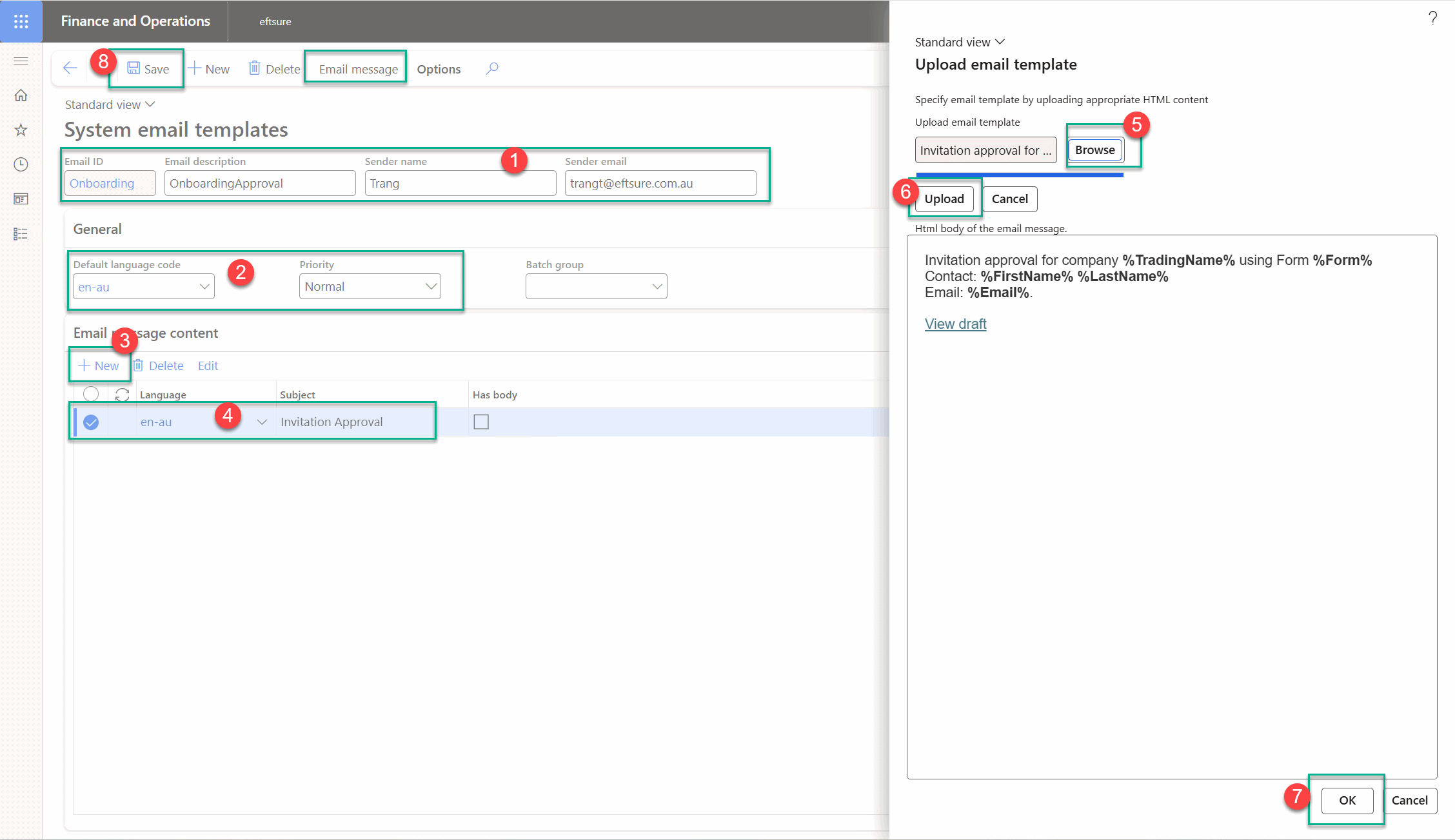
Email template body should be in HTML format.
Setup User groups
Email history
User can also view email status and history via below.

